AI Powered Quarry IoT
The quarry operations management system, from the blast to the delivered load.
Try the System.
One simulated quarry day in the app shell: twelve steps, every module, live alarms, and the product's own rules. Press Play, or click any module.
- 00:00 · Before the Shift Group View
Midnight. Four sites, six plants and 28 days of history behind every number.
- 06:00 · Rain Overnight Stockpiles
18 mm of rain fell on North Quarry between 01:00 and 05:00. The open 14 mm pile went from 3.0 % to 4.6 % moisture.
- 06:05 · Wet Stone Costs Fuel Asphalt Plant
Plant A1 starts the day with 4.6 % moisture at the cold feed. The screen recommends the covered pile and a lower setpoint.
- 09:30 · Blast at Bench 3 Blasting
Blast B-2026-014 fired at 09:30: 4.8 mm/s at 320 m against a 5.0 mm/s limit.
- 11:00 · A Bearing on Its Way to Failure Machine Condition
The secondary cone crusher bearing on line N1 is heating up: 71 °C and rising 3.4 °C a day, its 85 °C alarm in about 4 days.
- 12:00 · Thermal Camera: a Hot Idler Conveyors
One return idler on CV2 is 34 °C hotter than the idlers beside it.
- 13:00 · Belt Damage Camera Review
The belt camera saw a tear on CV2 at 91 % confidence. It goes to a person, not to a machine.
- 14:30 · Dust Blowing Toward the Village Environment
PM10 at the village-side monitor: 178 µg/m³ over the 150 trigger, wind from 62°. The dust rule switched the sprinklers on.
- 15:00 · No Helmet Near the Conveyor Safety
The walkway camera saw a person without a helmet beside CV2 at 88 % confidence.
- 15:45 · A Load That Will Arrive Too Cold Loading and Delivery
Ticket DEMO-0415: loaded at 149 °C with a 128 °C cold corner. An 80-minute haul lands below the 140 °C minimum.
- 16:30 · Idle Machines and Missing Diesel Fleet and Fuel
Haul truck HT-2 used 27 % more fuel per engine hour than its own 14-day median; 45 L were issued with no engine hours behind them.
- 18:00 · The Day in Numbers Group View
Aggregate 6,420 t and asphalt 1,452 t produced. Crushing 2.41 kWh/t, asphalt 7.1 L/t, CO₂ 41.8 t.
Interactive demo of AiKuari IoT. Demo Quarry Sdn Bhd is a fictional company; every figure is simulated with the product's own rules and limits.
A Tour of the Platform.
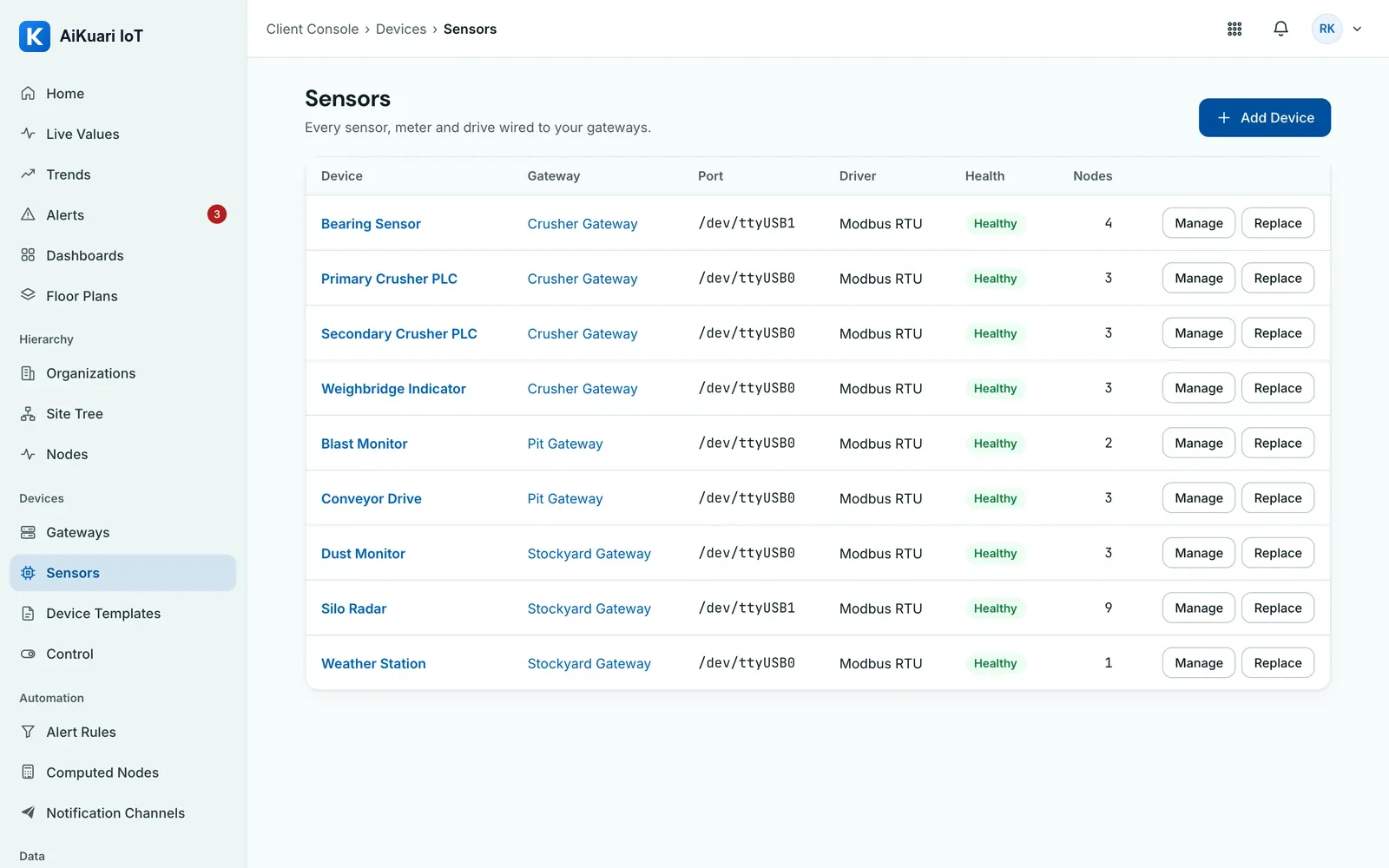
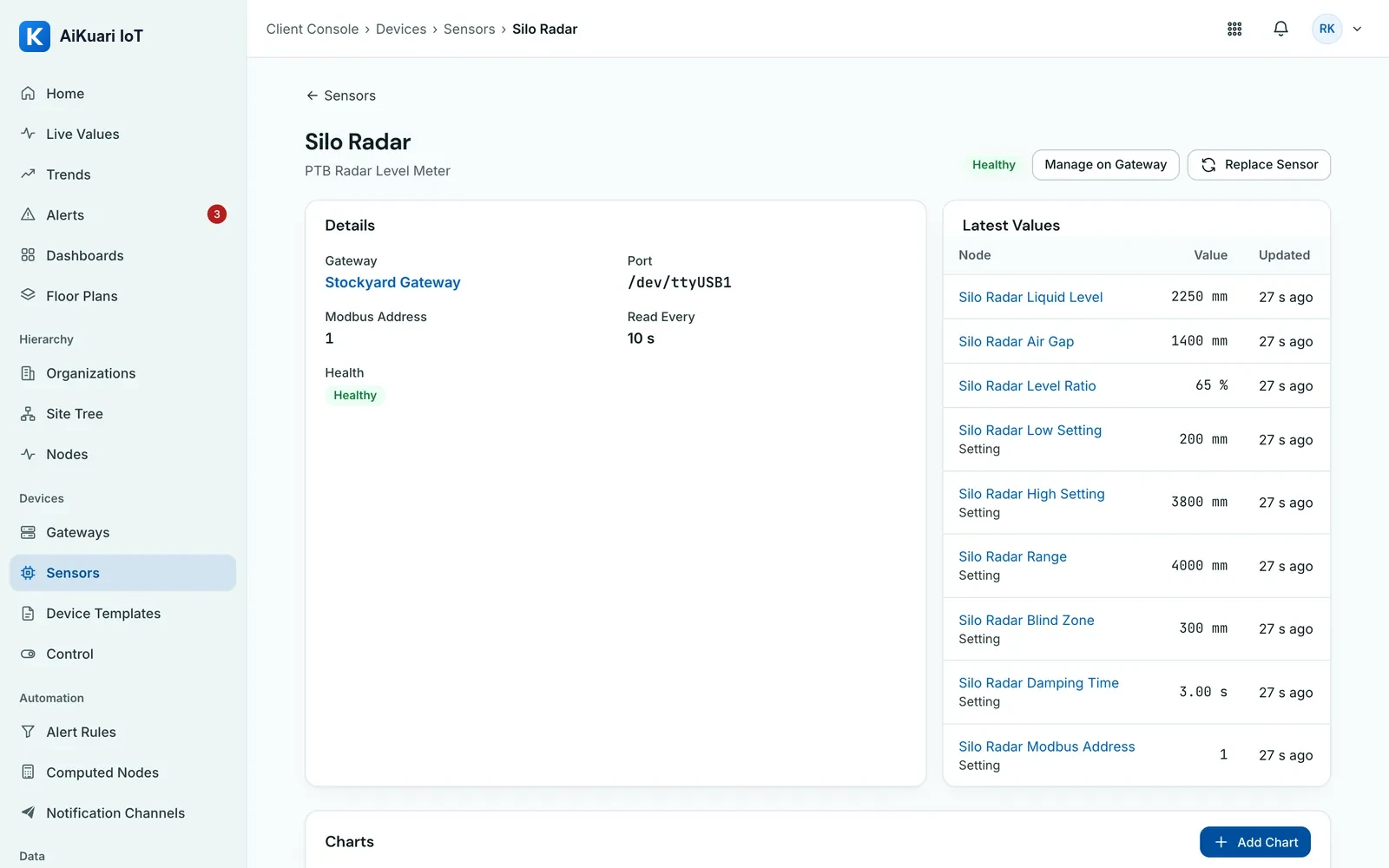
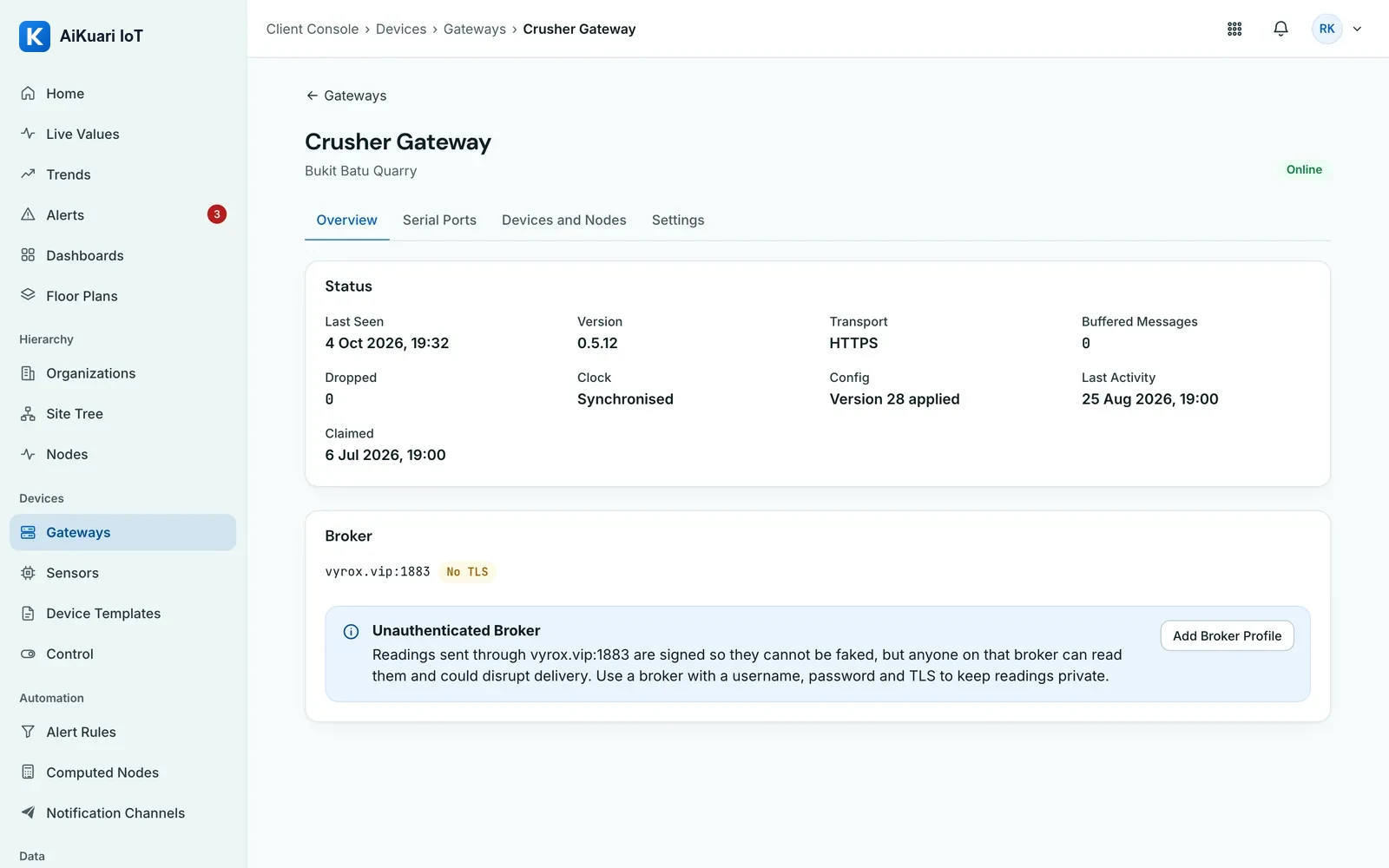
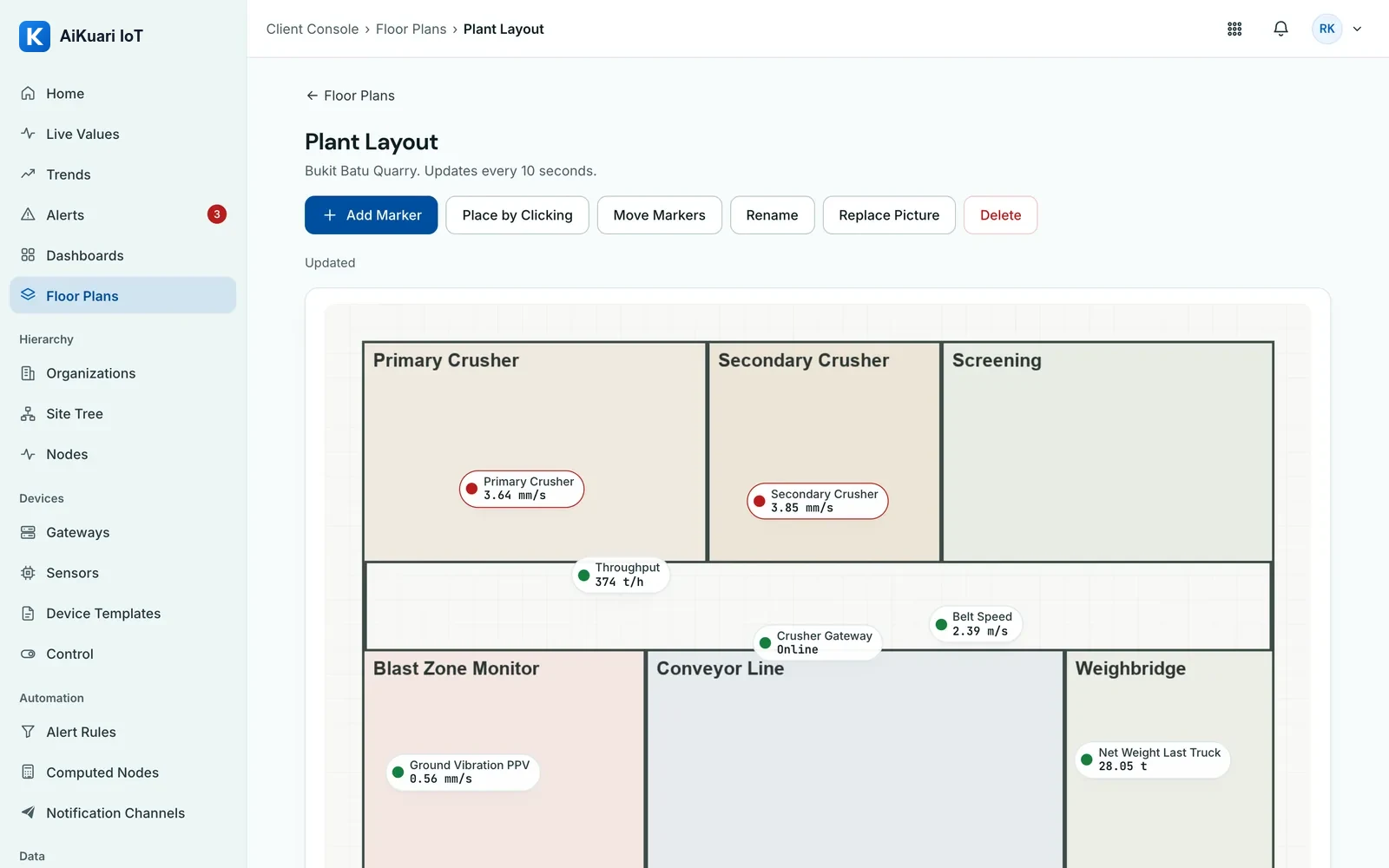
Real screens from a demo quarry with neutral demo data: Home, dashboards, alerts, gateways, the Screen Scraper and reports.
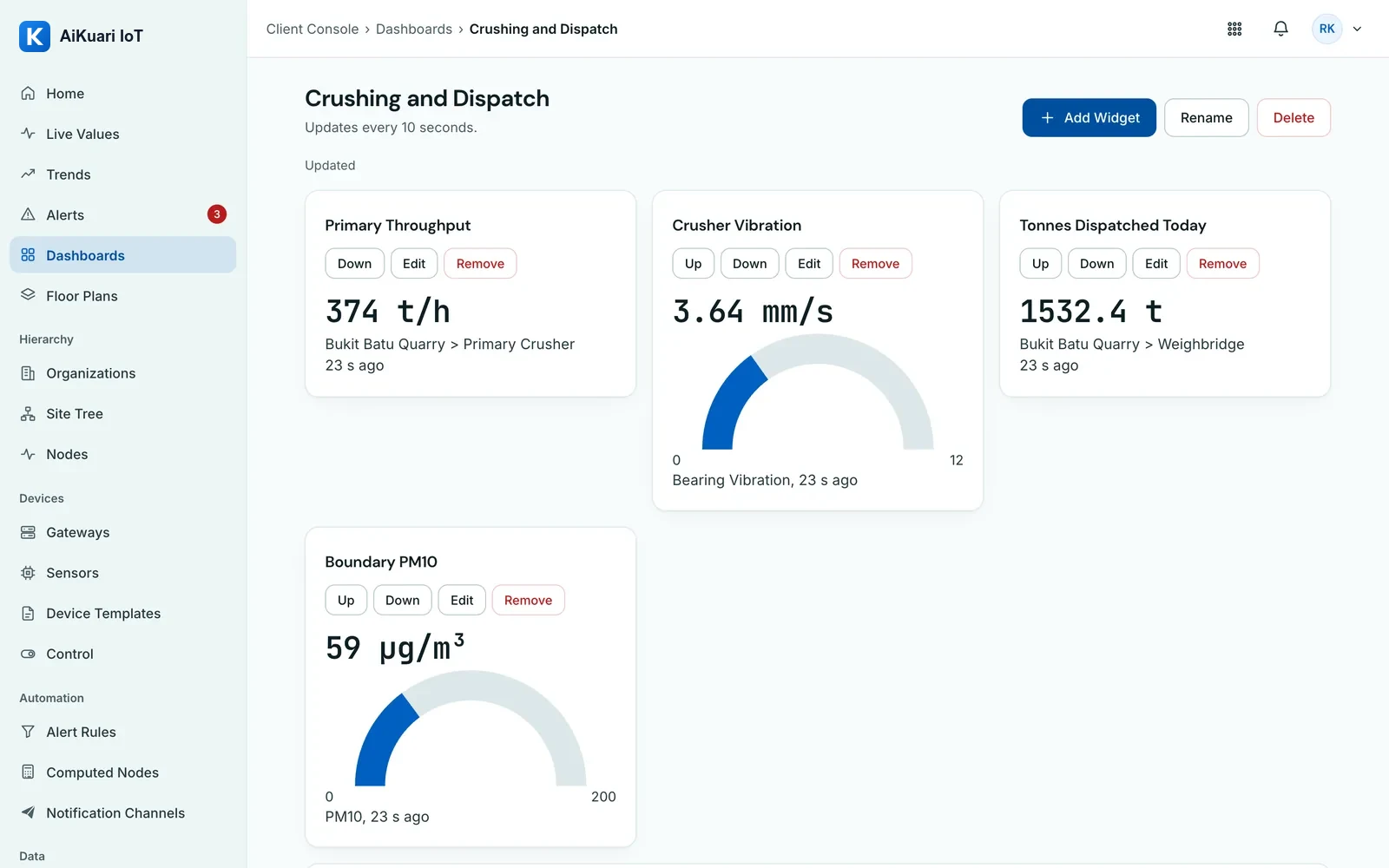
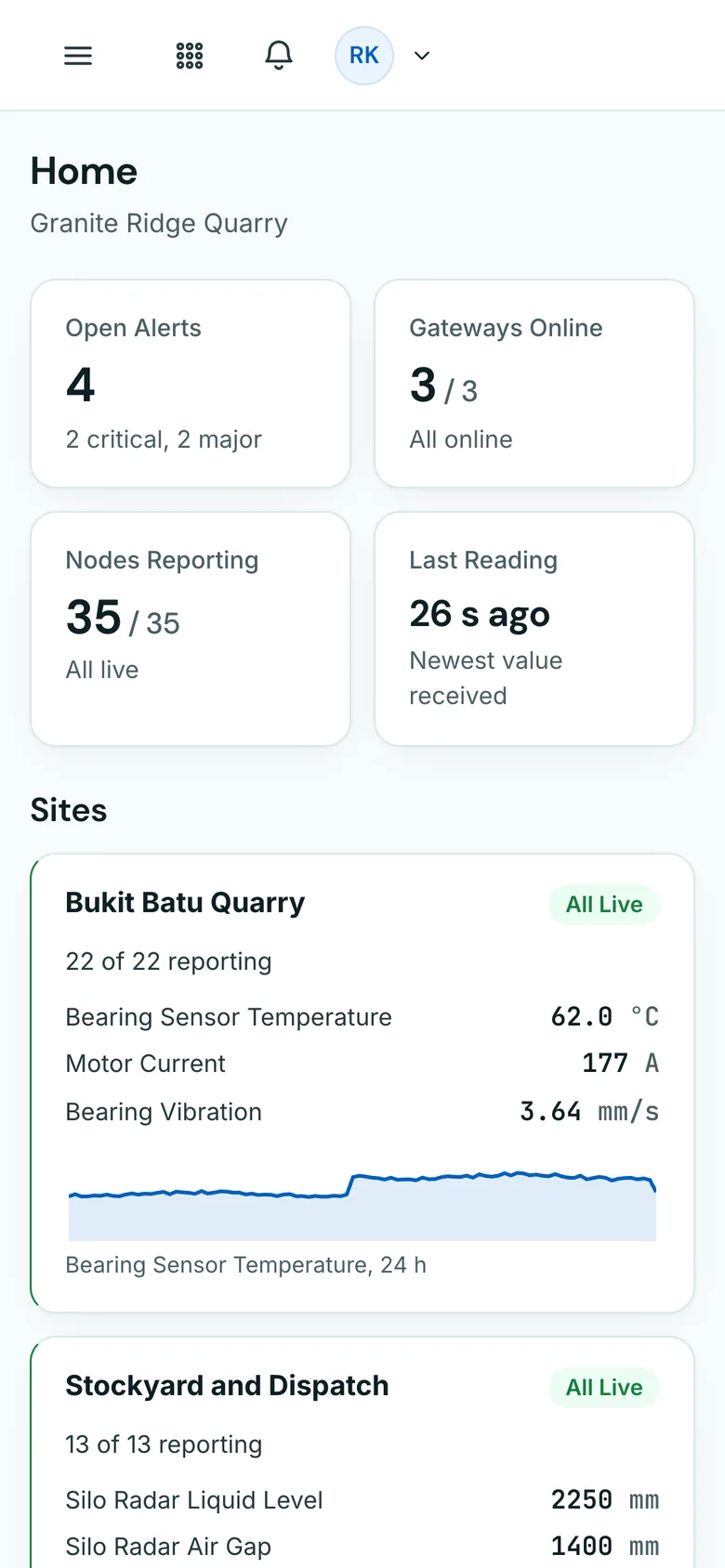
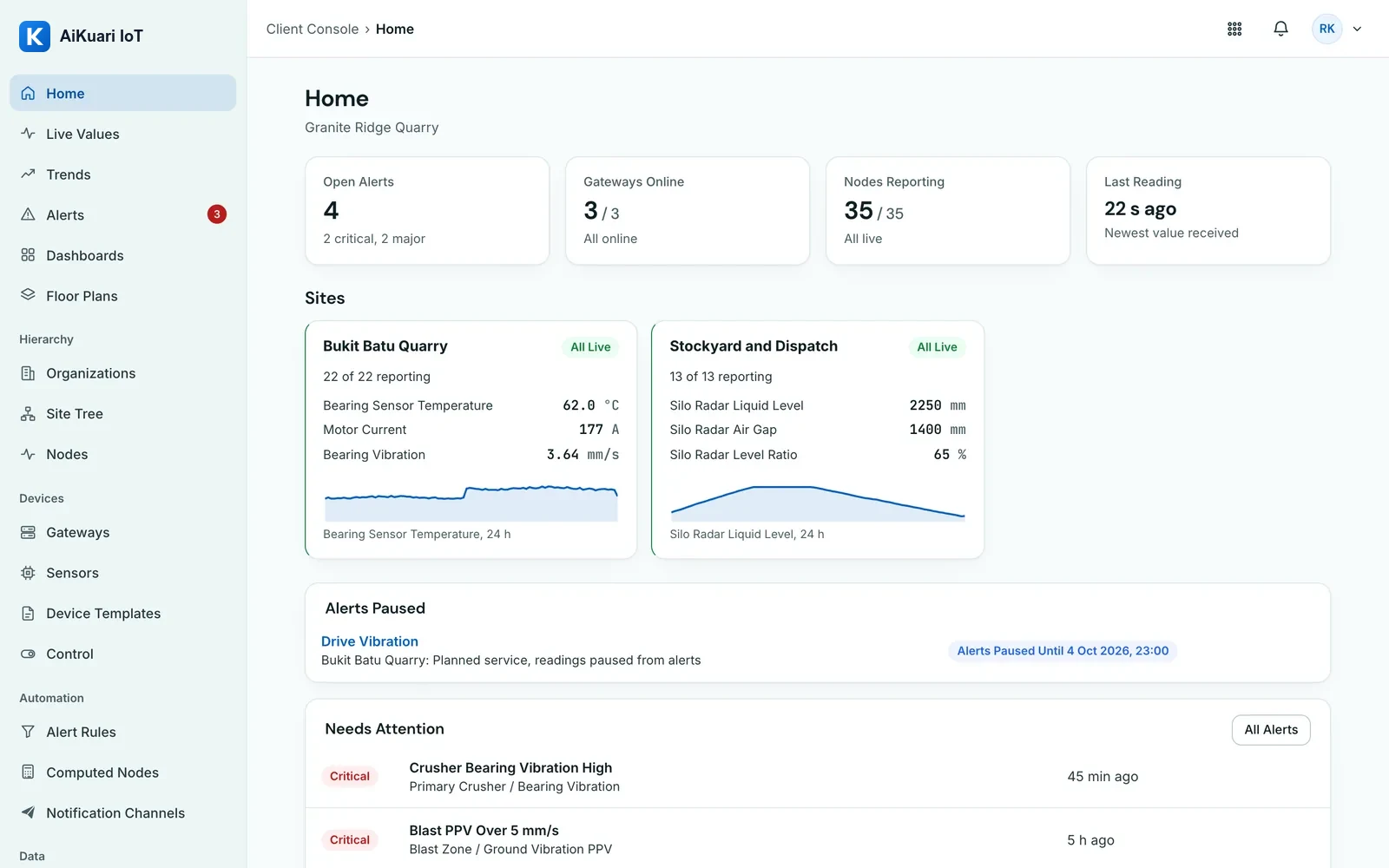
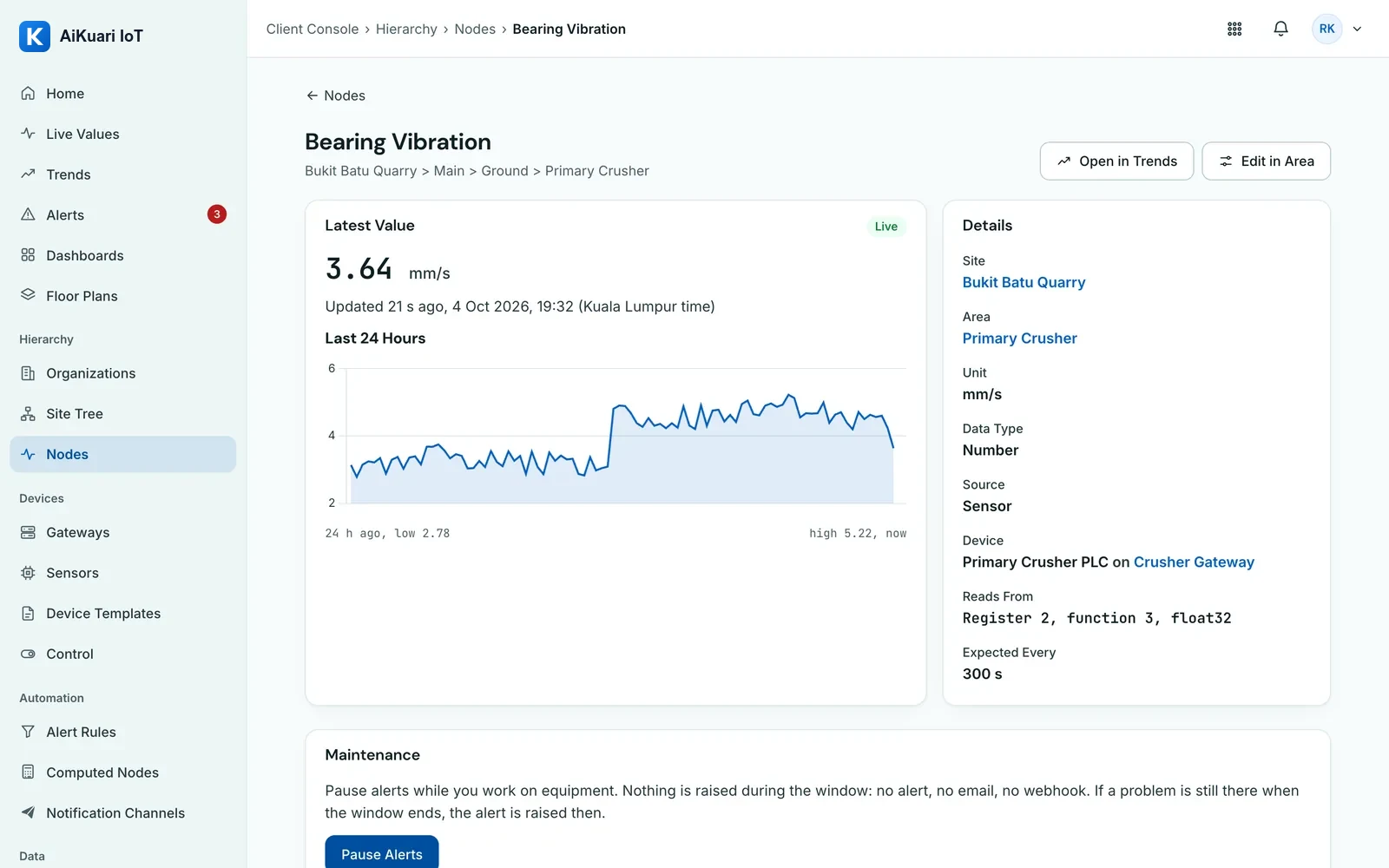
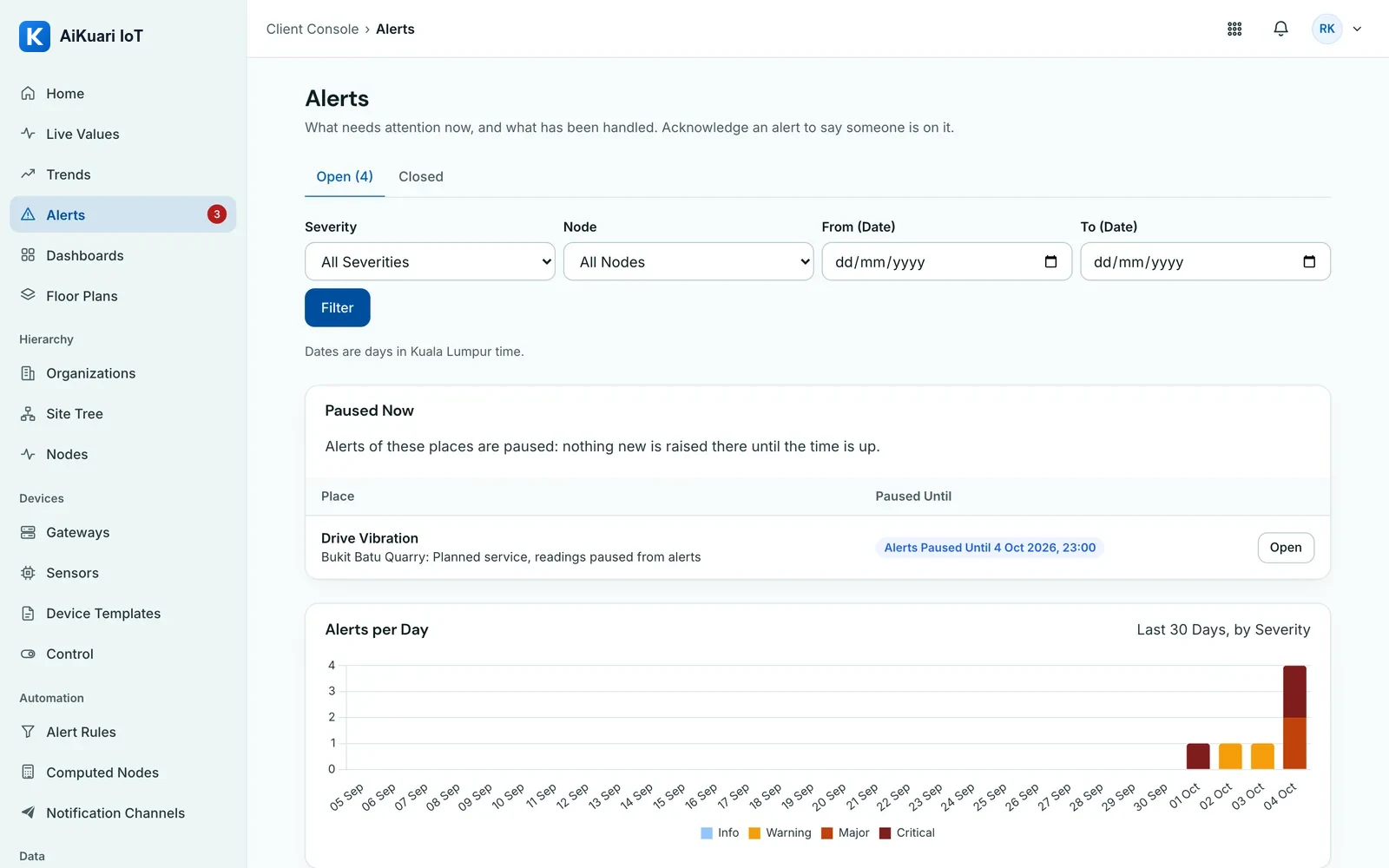
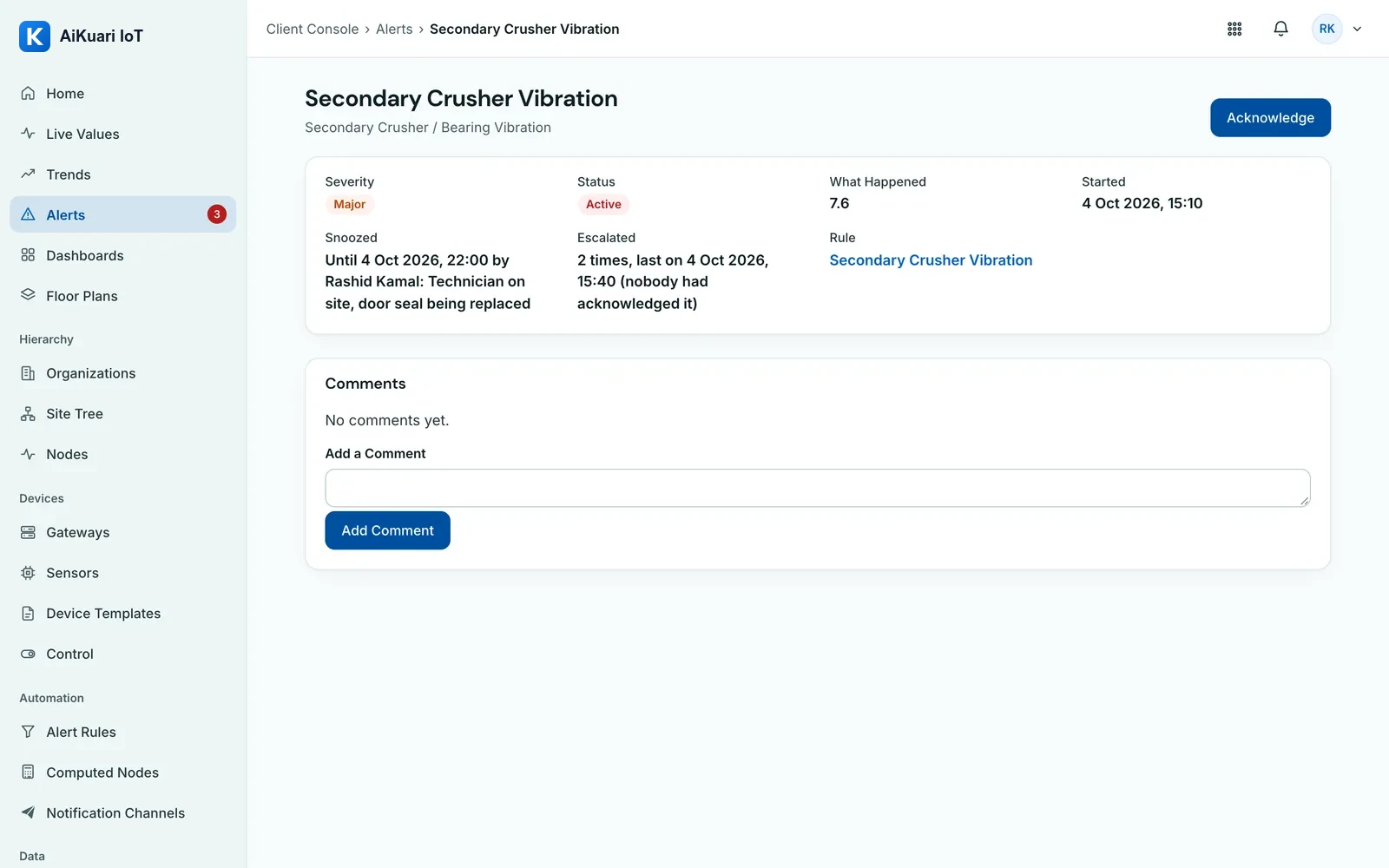
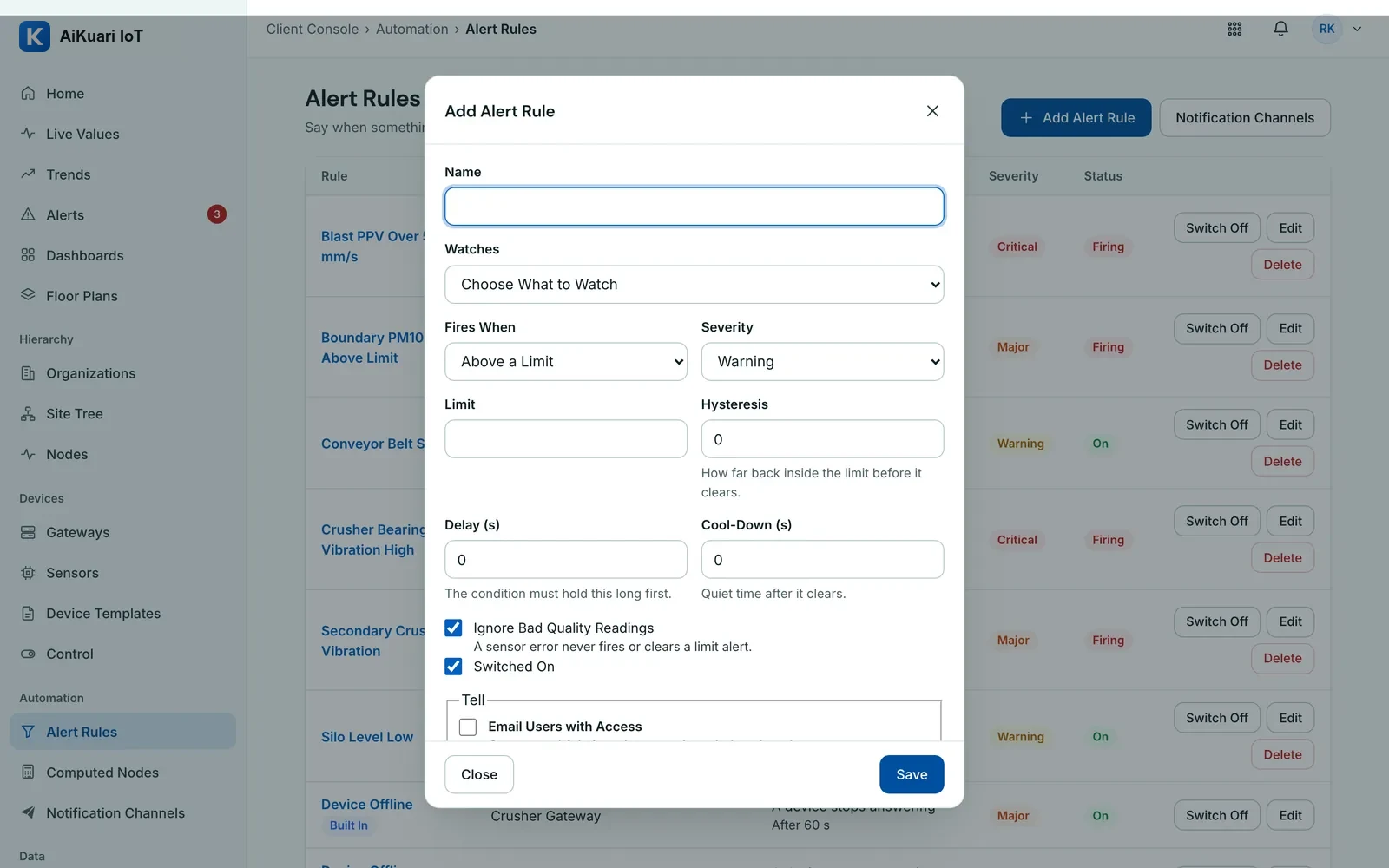
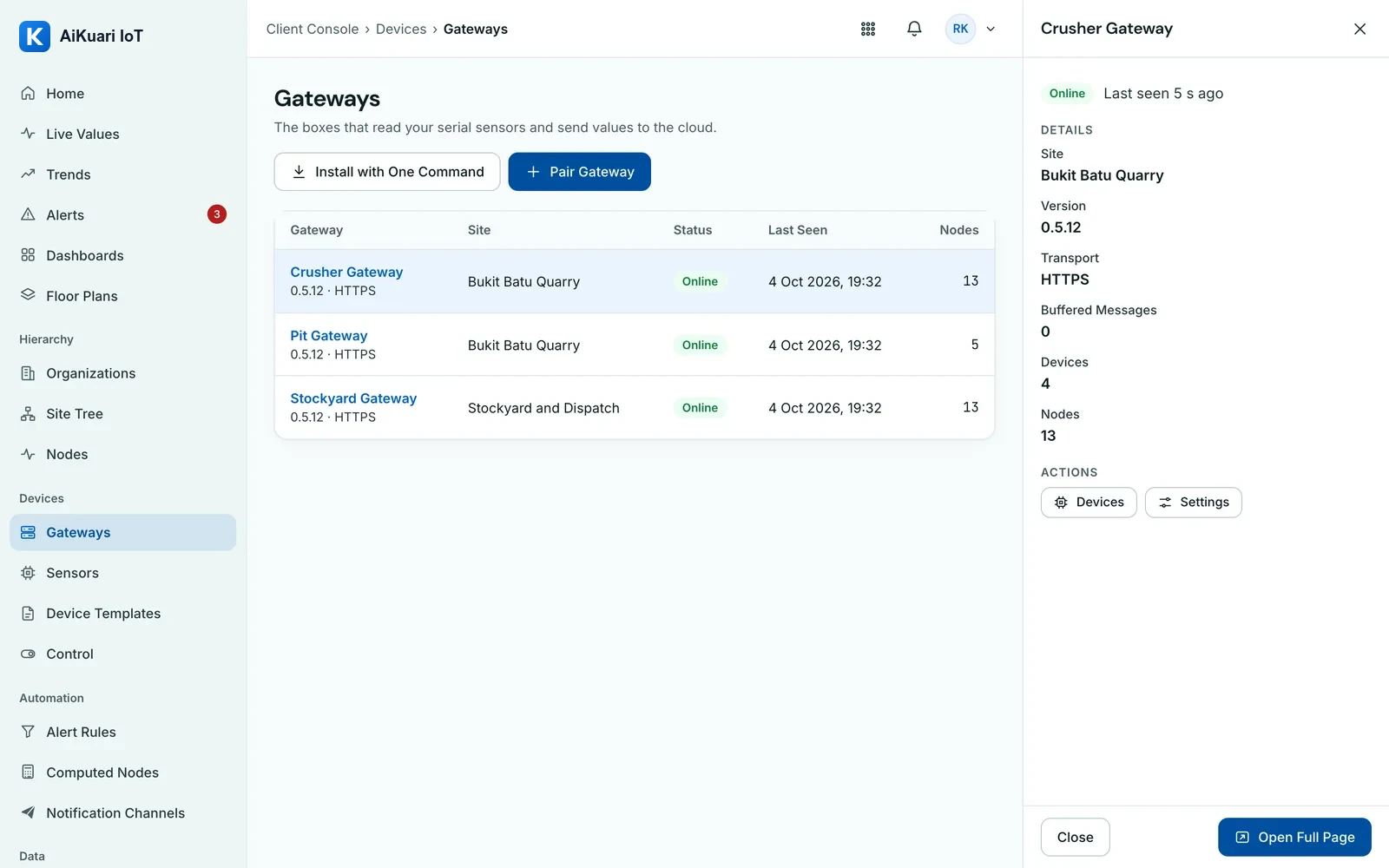
Screenshots of the live platform, taken on a demo company with demo data.
Built for Quarries and Asphalt Plants.
Runs on the VYROX AI IoT Platform: its own sign-in, its own database, a full audit log.
A Live Picture
Every machine, sensor and camera on site in one view.
Limits and Predictions
Readings checked against limits; failures predicted days ahead.
Alarms to a Person
Acknowledged, turned into work orders, and recorded.
Many Sites, One Group
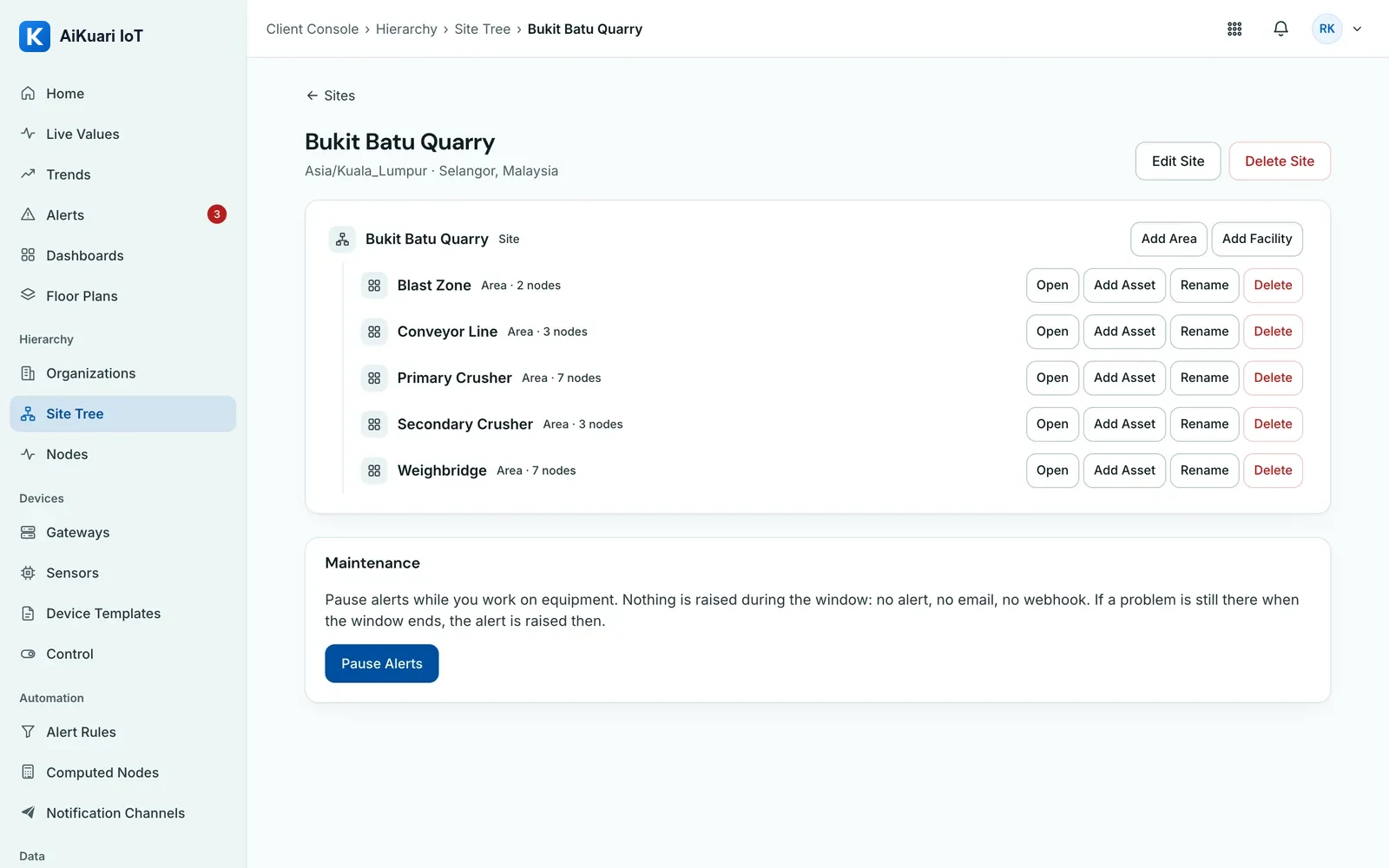
Group, region, site and plant views, scoped per person.
Reports
Daily, environmental and ESG reports from the same data.
Private by Design
Its own sign-in, its own database and a full audit log, or a server of your own with Private Edition.
Built for the People Who Run the Site.
Quarry Owner and Group Manager
Group View across every site, ESG and environmental reports, CO2 by source and the cross-site watch list.
Plant Manager
Tonnes per hour, stops by reason, kWh and fuel per tonne, stock days of cover and the daily report.
Maintenance Engineer
Health scores, days to the alarm limit, thermal hot spots and work orders raised from a prediction.
HSE Officer
Dust, noise and blast limits, camera detections confirmed by a person, near-miss records and SOS alarms.
From the Sensor to the Board Report.
Sense
Vibration, temperature, dust, noise, blast, level, belt scales, thermal and AI cameras on every stage of the site.
Connect
LoRaWAN and 4G gateways, and a Linux gateway reading Modbus RTU, Modbus TCP and serial equipment, carry readings to the cloud. Where a plant has no signal wired out, the Screen Scraper reads its screen with AI vision, reading only.
Monitor
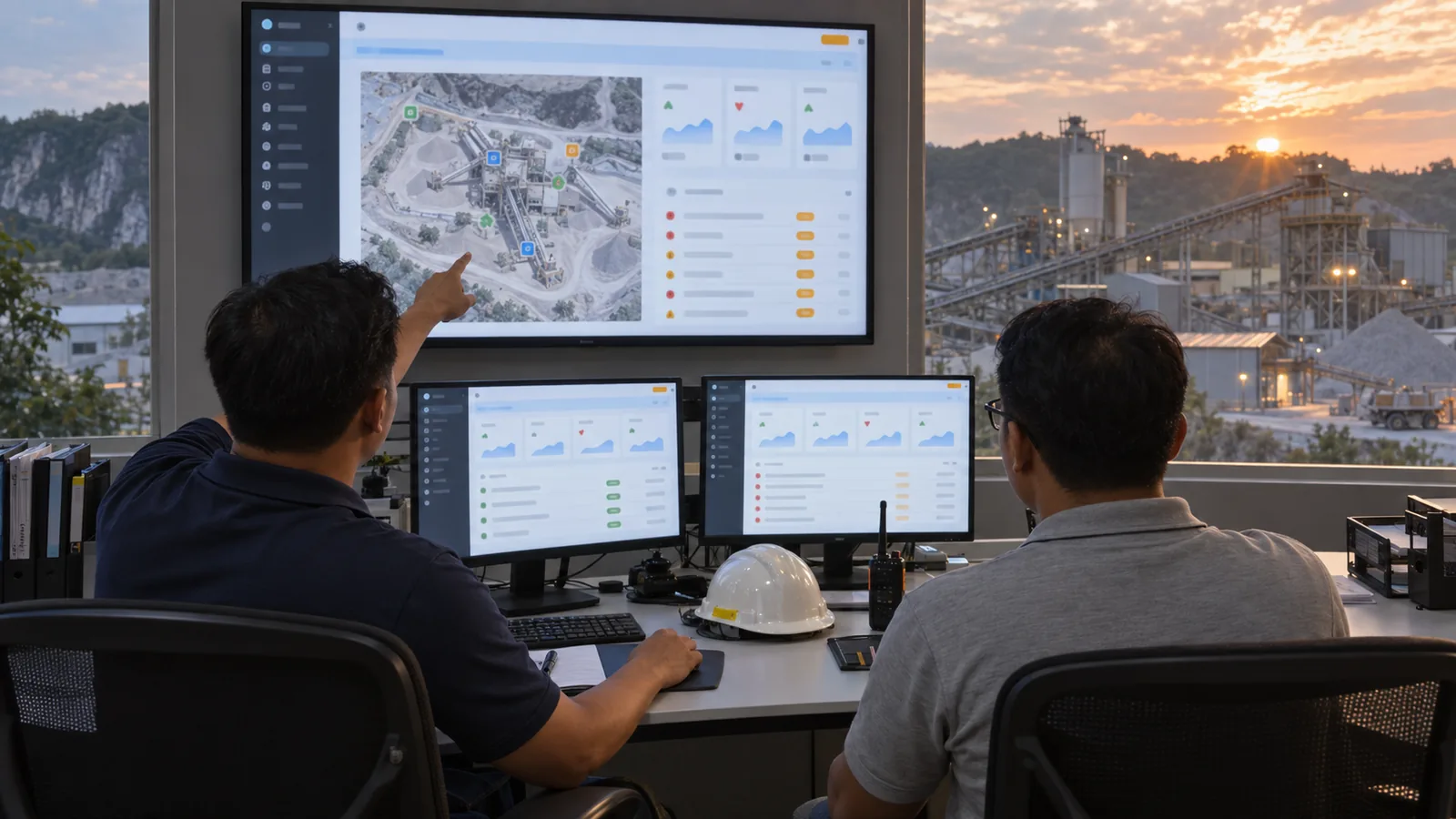
One live picture per group, site, plant and machine, and a control-room screen that rotates through the sites.
Analyse
Tonnes per hour, kWh and fuel per tonne, CO2 by source, days of cover and stops by reason, from the same readings.
Alert
Warning and alarm limits with an ISA-18.2 style deadband, escalation, Pause and Snooze, acknowledgements and a full history.
Predict
A straight-line trend over 72 hours of running data projects the days to a bearing or motor alarm and raises the work order early.
Guide
Recommendation cards on the plant screens, and Ask AI answers from your own data with the working shown.
Control
Rule-driven commands for the site gateway, such as sprinklers on a dust rule, sent as signed control writes within limits per Node. Nothing stops a machine by itself; a person confirms every camera detection.
Report
Daily operations, environmental and ESG reports against Bursa Malaysia indicators, A4 PDFs by scheduled email, CSV export and an audit log.
Seventeen Modules, One System.
Group View
KPIs, production and a watch list across sites.
Machine Condition
A 0 to 100 health score, every lost point explained.
Control-Room Screen
A wall display that rotates through the sites.
Blasting
PPV and air overpressure checked on every blast.
Crushing
Throughput, kWh per tonne and stops by reason.
Conveyors
Belt load and hot idlers from thermal cameras.
Stockpiles
Tonnes, days of cover and survey drift.
Asphalt Plant
Fuel per tonne, mix temperature and baghouse health.
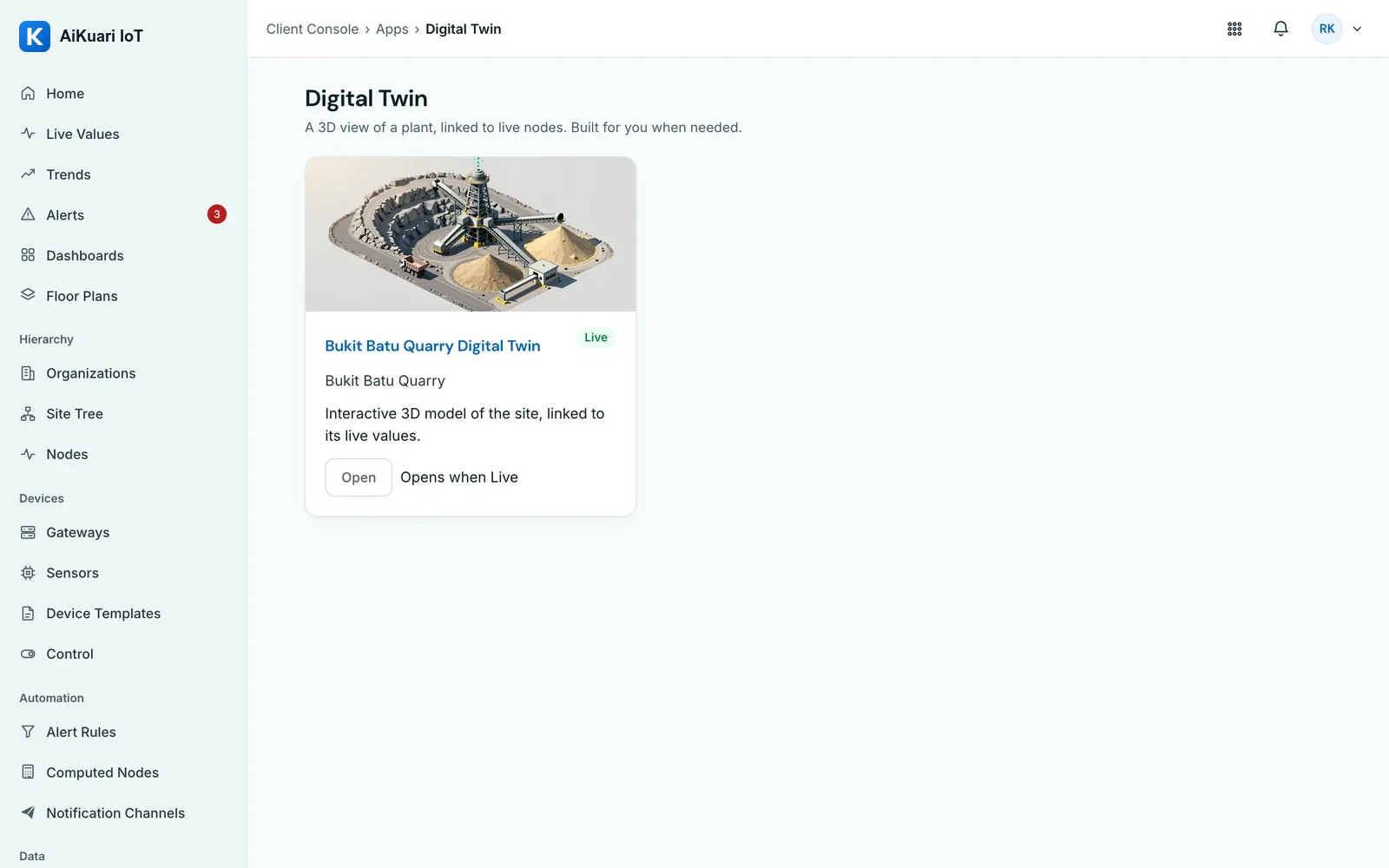
Digital Twin
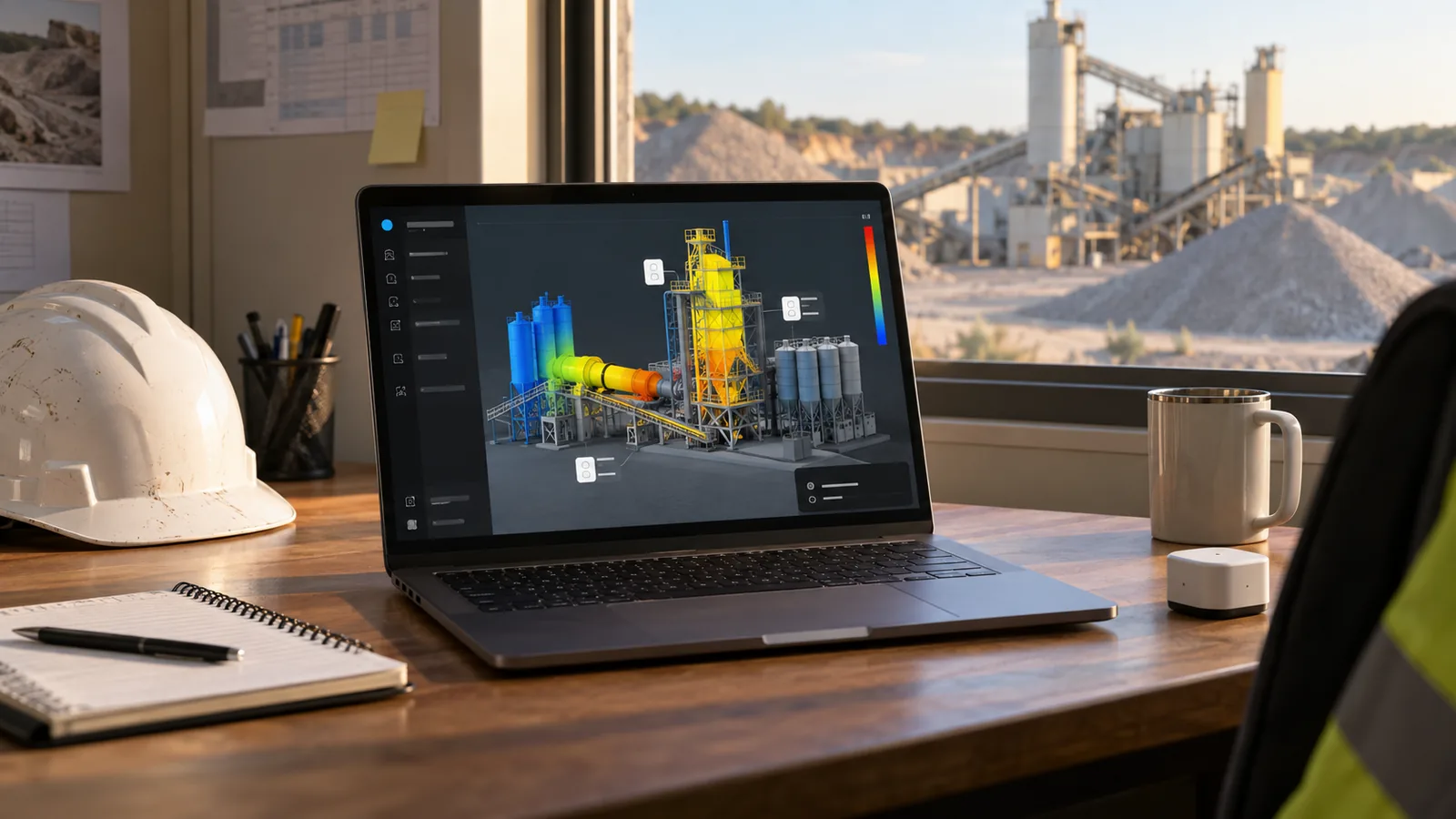
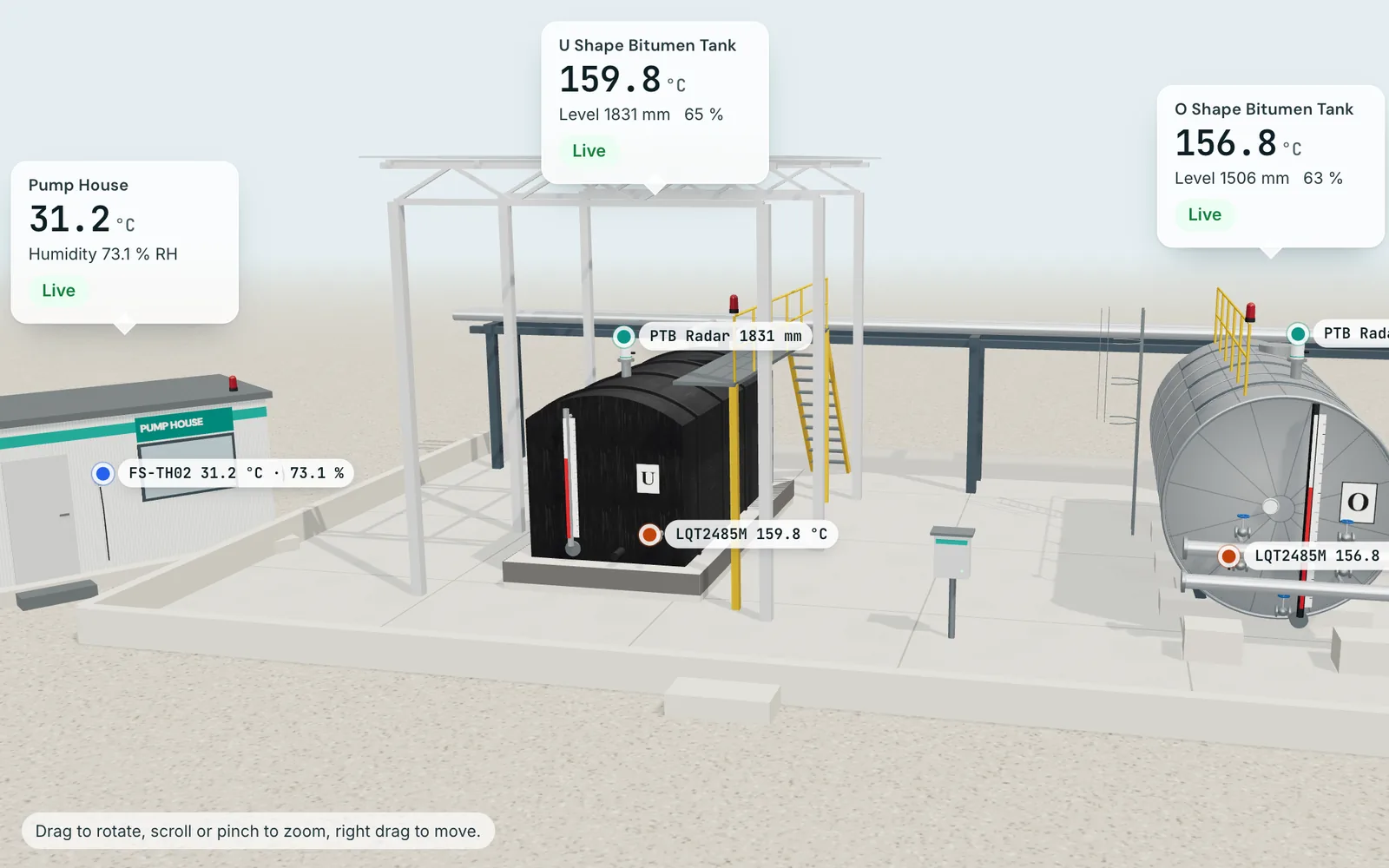
The batch plant and bitumen tanks in live 3D, with thermal views, a cutaway level and alarm effects.
Loading and Delivery
Predicted arrival temperature for every load.
Fleet and Fuel
Idle time and unusual fuel use flagged.
Environment
Dust, noise and water; sprinklers switched by rule.
Safety
Camera alerts become near-miss records in one step.
Alarms
Deadbands, acknowledgements and a clear history.
Work Orders
Raised from an alarm, a prediction or by hand.
Camera Review
Nine AI detections, each confirmed by a person.
Ask AI
An assistant on every page answers plain questions from your data, with the working.
Platform Features.
Operate Home
Open alerts by severity, gateways online, nodes reporting and live site cards with 24 hour sparklines.
All Sensors Dashboard
Every Telemetry Point with its value, state and chart, grouped by Site, Area and Node. Drag to rearrange, Compact or Comfortable density, and Rule limit lines on each chart.
Custom Dashboards
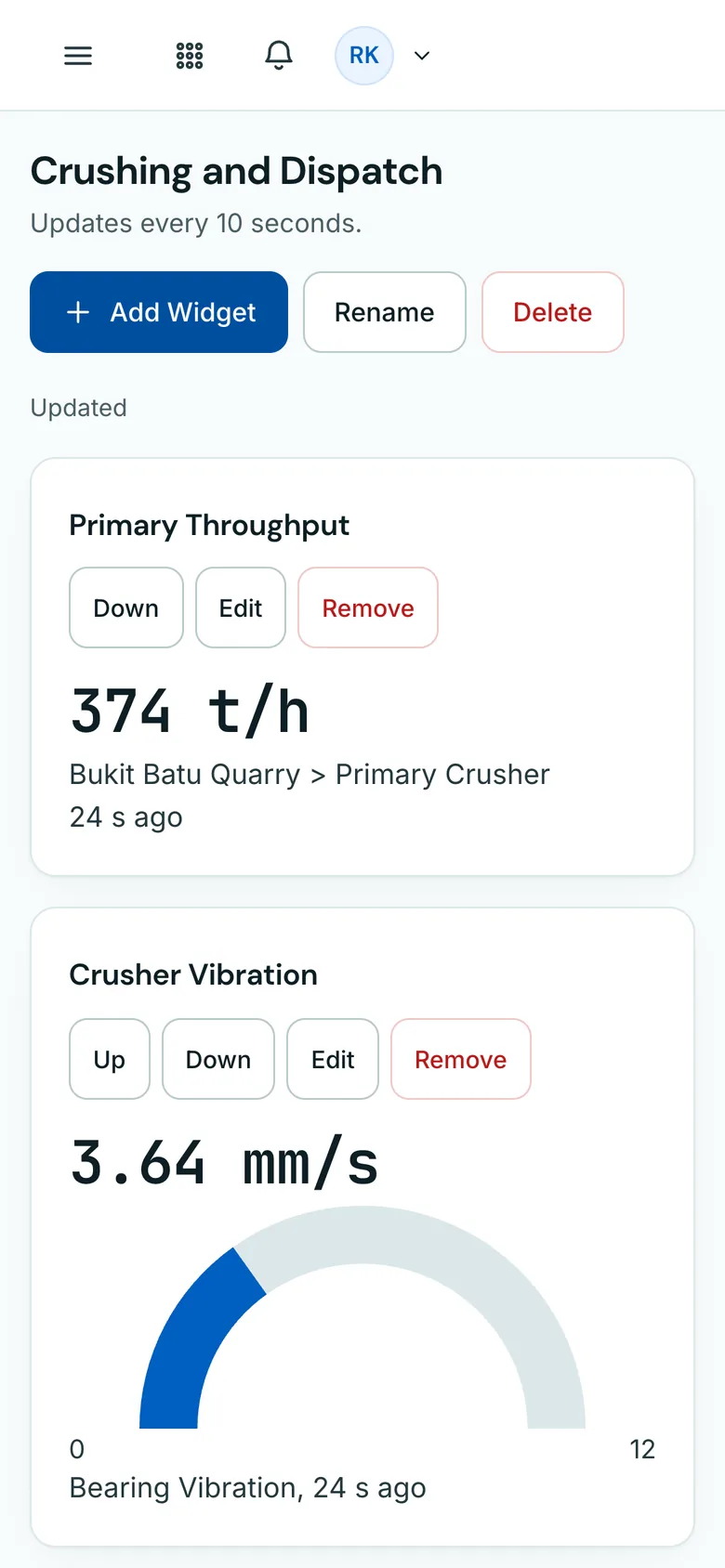
Value, gauge, trend, table and open alert widgets, on desktop and phone.
Charts
Trend, bar, doughnut and gauge charts drawn automatically for every entity, with drag to zoom and two unit axes.
Trends
Up to 8 Telemetry Points on one chart with two unit axes, ranges up to 400 days, statistics, saved views and CSV. Gaps stay gaps; nothing is filled in.
Computed Telemetry Points
Work out a value from other points with a safe formula, such as bitumen volume in a horizontal tank from its radar level, in m³ or litres.
Test Connection and Test Read
Step-by-step checks on every Node with a plain fix for each failure, and one signed read to prove the wiring before you add points.
CSV Import
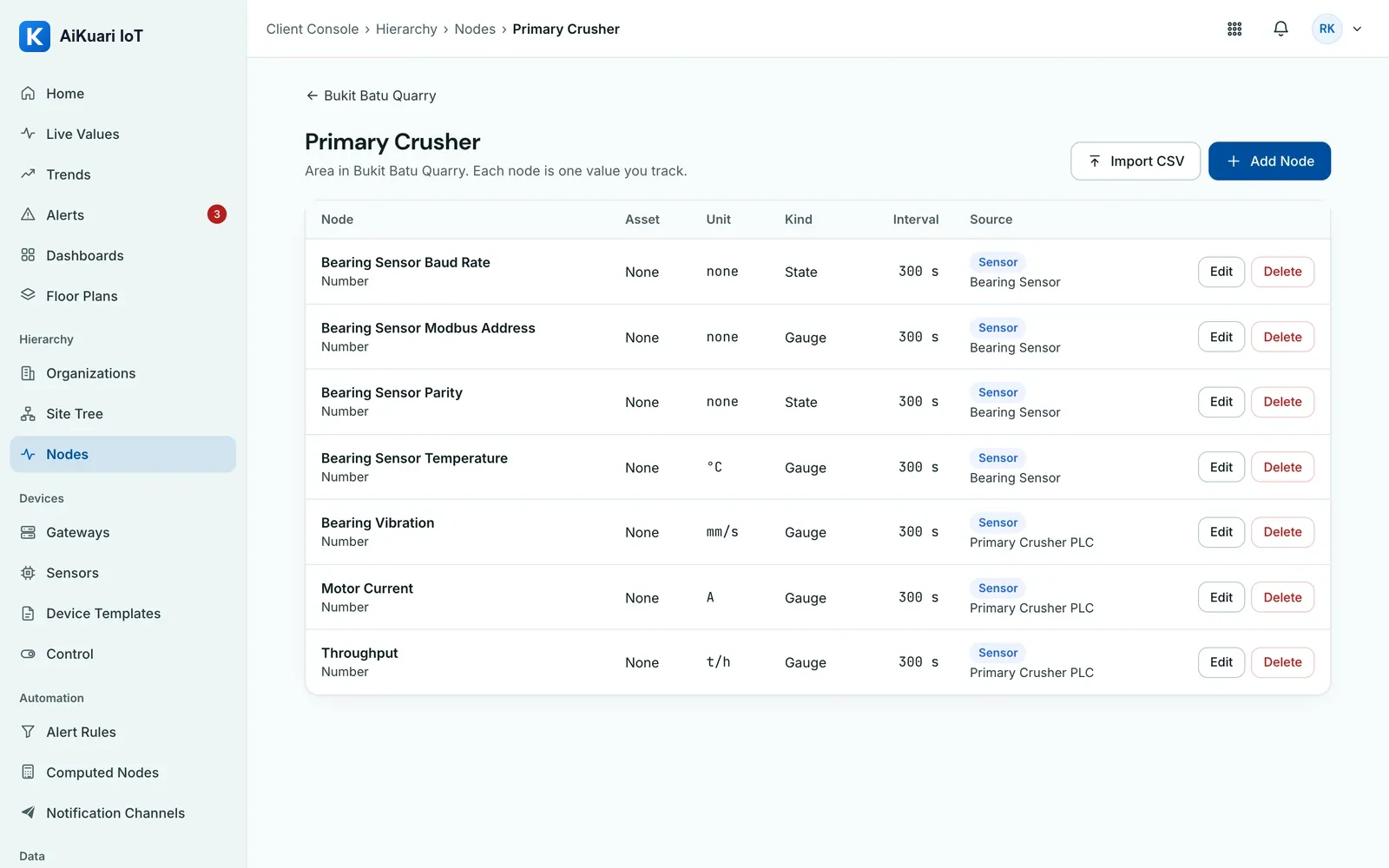
Add Telemetry Points from a file, with a preview and an error for each row. The whole file imports, or none of it does.
Your Own Sign-In Page
A company address such as aikuari.com/yourcompany opens a sign-in page with your logo and name.
Floor Plans
Upload a plant layout and pin live values to it.
Digital Twin
Digital Twin projects of your equipment, built by VYROX and opened from the platform.
Health and Forecast
A health score per Site, the limits Coming Up, and a trend forecast up to 90 days ahead on every Node.
Alerts and Escalation
Info, Warning, Major and Critical alerts with comments and acknowledgement; unacknowledged alerts send up to 5 reminders.
Pause, Snooze and Maintenance
Pause a Site or Node for 1 hour to 3 days, or Snooze one alert for 1, 4 or 24 hours with a reason, within a policy the Owner sets. Critical alerts are not snoozed by default.
Designed Alert Emails
A severity band, the reading beside its limit, a facts table and the Site's local time, sent from your own organisation's email domain.
In-App Notifications
A Notification Centre for every notice, short toasts for quick confirmations, and popups raised by Rules.
Work Orders
Raised from an alert, a Rule or by hand, assigned to a person, with reminders when overdue.
KPIs and Environmental
KPI Setup per Site from production, energy, fuel and stop reason points. PM10 and PM2.5 against MAAQS 2020, CO2e from Energy Commission GEF 2024 and IPCC fuel factors. Estimates, not legal advice.
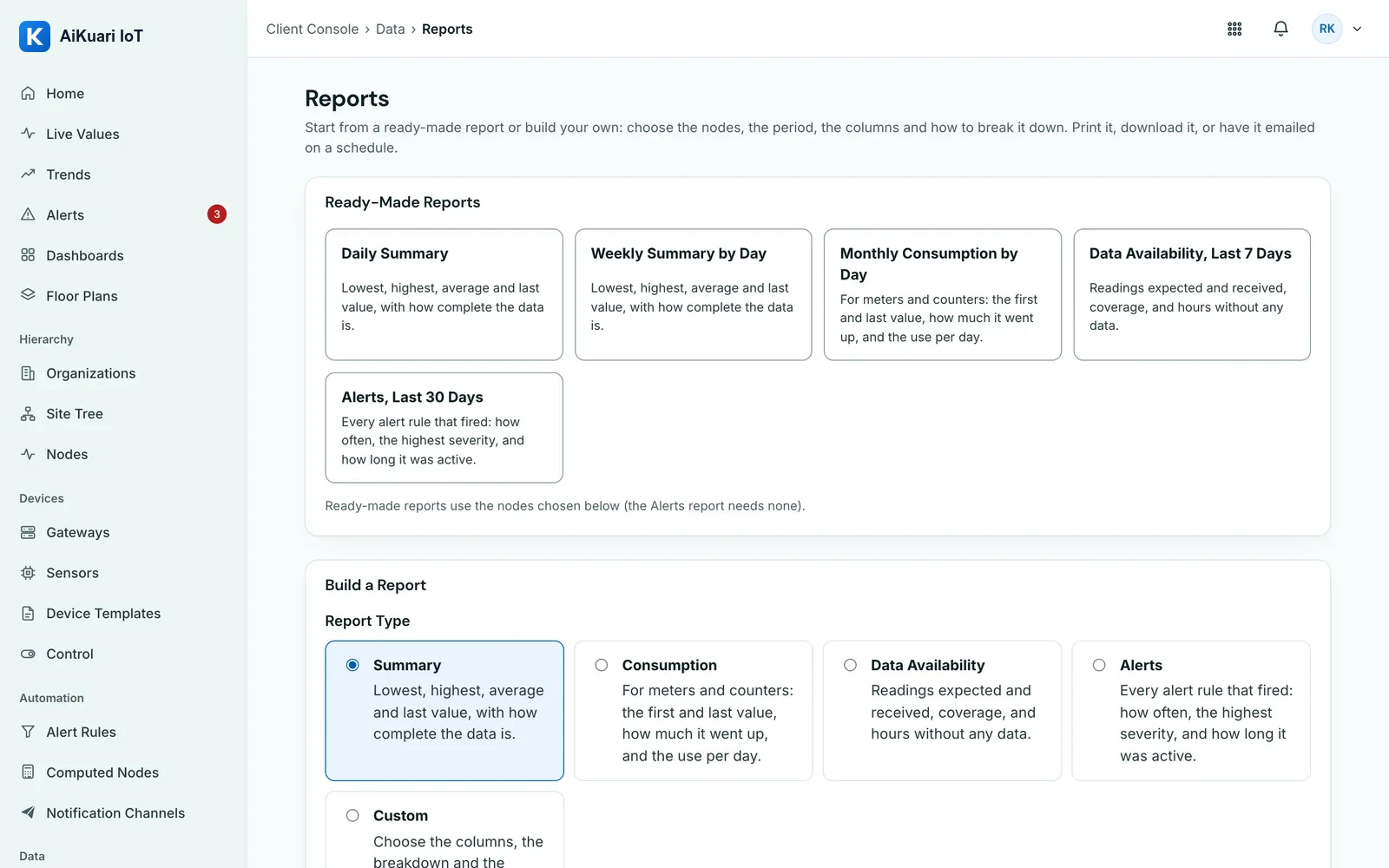
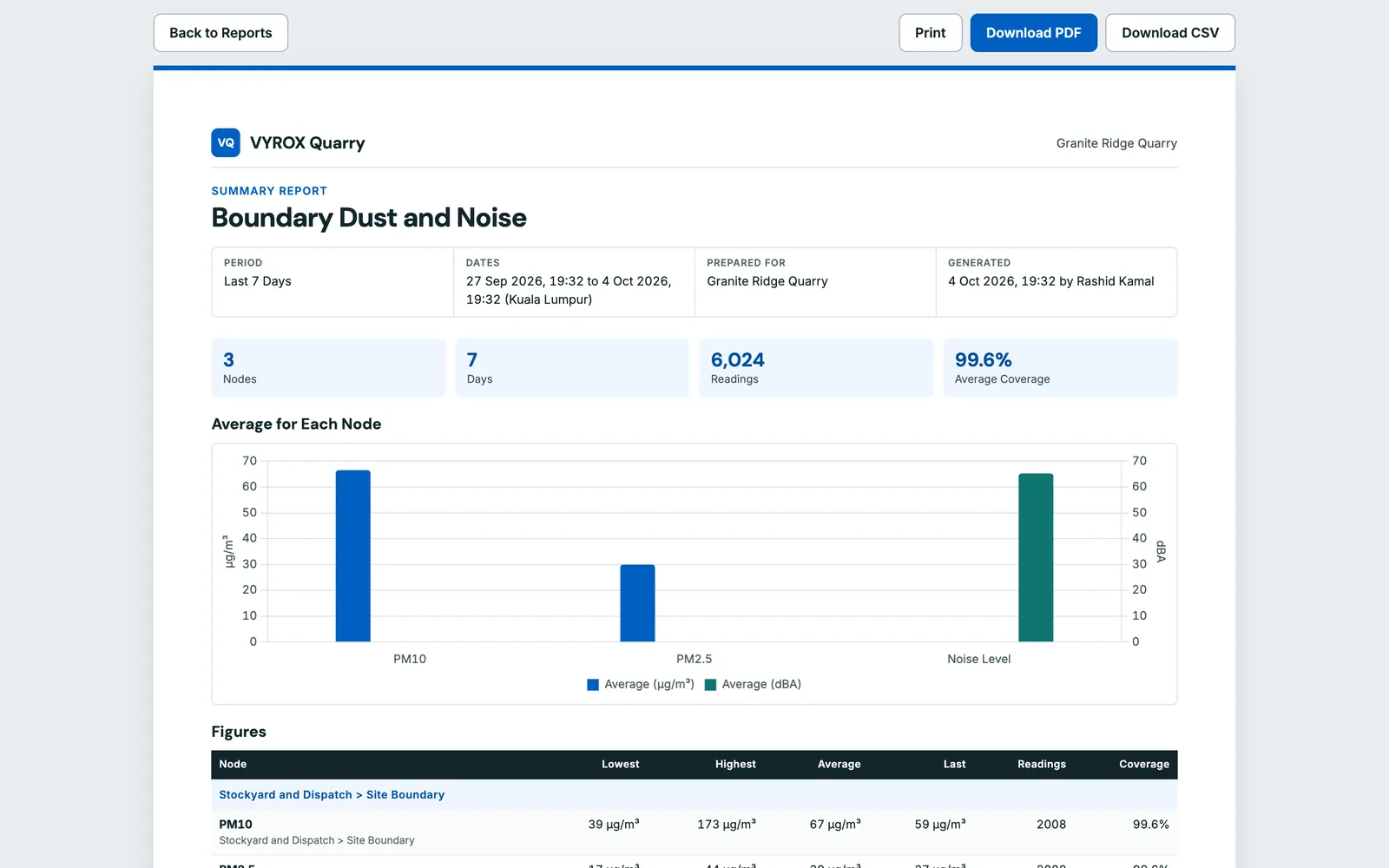
Reports and Export Everything
Summary, consumption, data availability, alerts, quarry KPI and environmental reports as PDF or CSV, and one ZIP of all your company data.
Site Gateway
A Linux gateway reads Modbus RTU over RS-485 and RS-232, Modbus TCP and ASCII serial devices, and buffers data when the link drops.
Serial Ports Tab
Every port the gateway finds, one-click Add Port, live traffic per port and a plain-language diagnosis when nothing answers.
One-Command Install
Paste one short command with an 8 character code on the Linux box: it downloads, verifies, installs and pairs itself while you watch.
Cloud-Managed Settings
Every gateway setting is made in the cloud and sent as a signed configuration, with In Sync, Waiting or Error shown for each gateway.
Automatic Updates
Signed gateway updates on Beta or Stable channels roll out in stages, pause by themselves, and roll back if a gateway fails.
Device Catalogue
Pick a model and its registers fill in: PTB Radar Level Meter, LQT2485M Temperature Transmitter, FS-TH02 Temperature and Humidity Sensor and Controller8. Use Request a Device Model for anything else.
AI Vision Bots Detections
AiKuari IoT can use Detections, events, snapshots and clips from AiServa AI Vision Bots through AiServa, set up together with the VYROX team. Coming soon to selected sites.
Screen Scraper
A Windows PC reads a standalone machine screen; AI reads the values, checks each one and holds unsure ones for review.
Hardware Replacement
Online, offline and error state for every Node, and Replace to swap a broken gateway, scraper or sensor while keeping its history.
Control Writes
Off by default. Limited per Node, signed by the cloud, checked again by the gateway, read back and audited.
Remote Terminal
A recorded shell on a gateway for VYROX support, opened only by Platform Admins, with idle and session time limits.
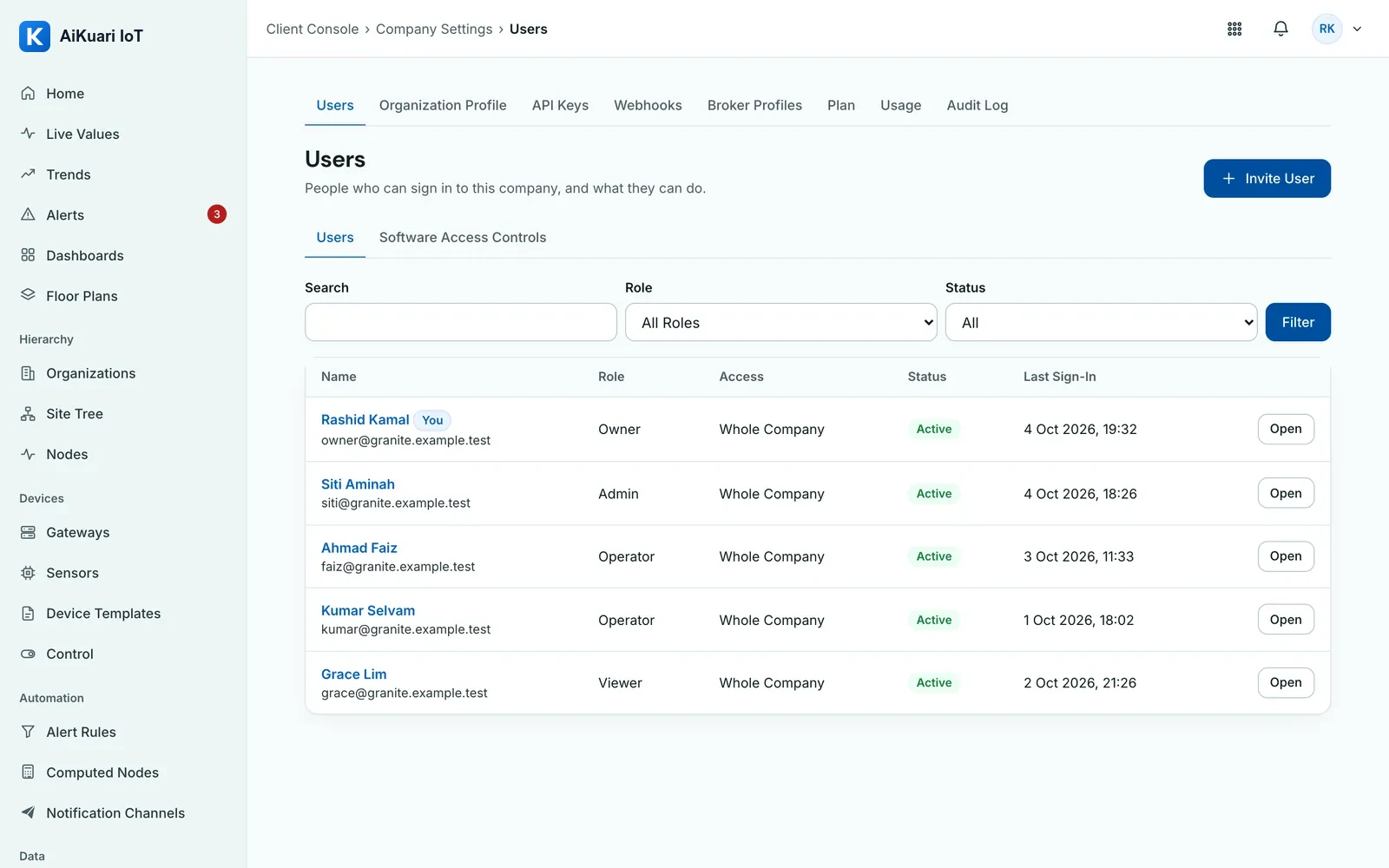
Users and Roles
5 user roles: Platform Admin, Owner, Admin, Operator and Viewer, with access per Organization or per Site and a custom access matrix.
Audit Log
A chained, tamper-evident record of every sign-in, setting, command and Rule change.
REST API v1
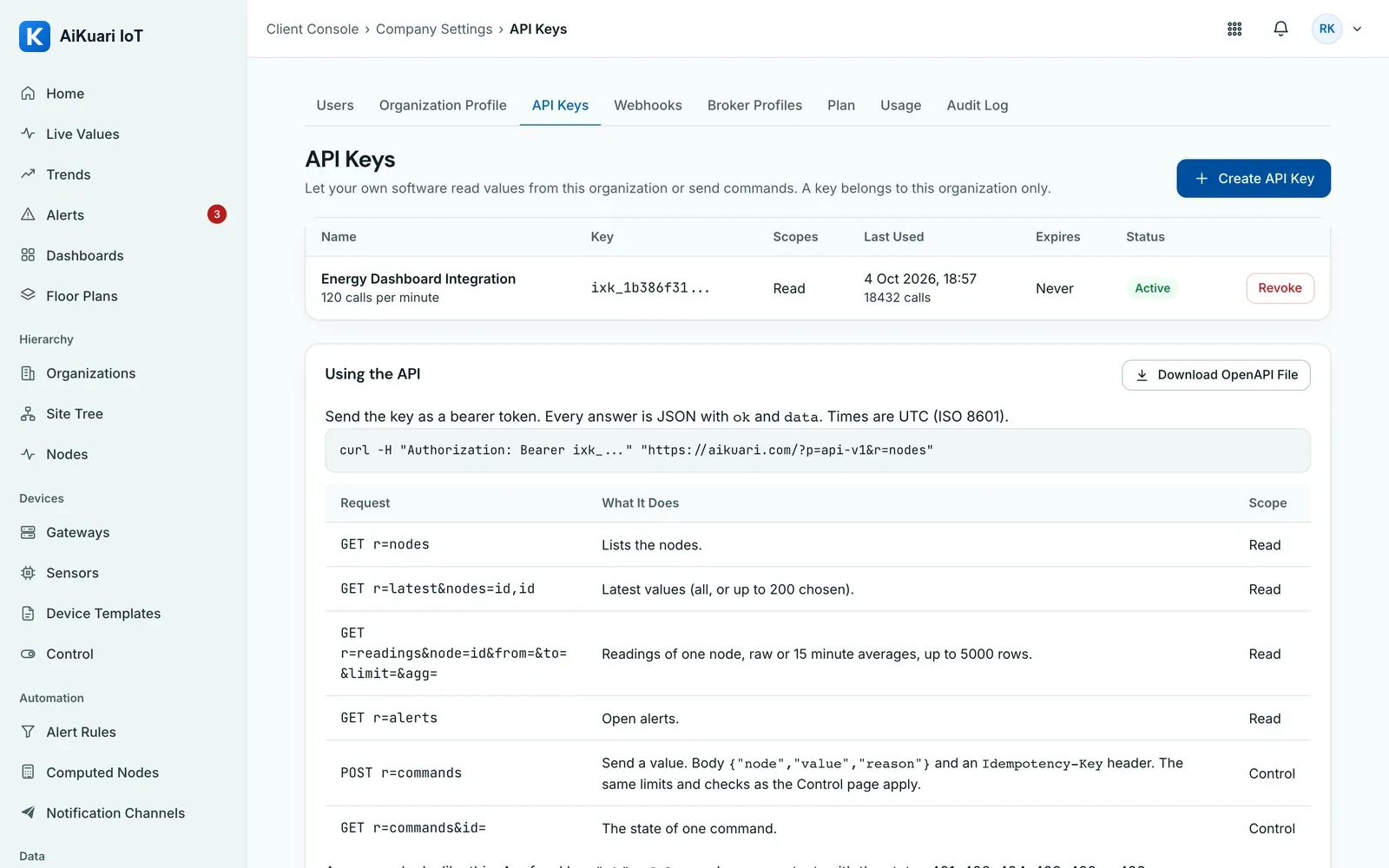
API keys for Nodes, Telemetry Points, readings, Control Points, commands, alerts and Rules, with an OpenAPI 3.0 file to download.
Webhooks and Data Forwarding
Signed webhooks for alert, command and Rule events, and Data Forwarding that publishes readings to your own MQTT broker over TLS.
Install App
Add AiKuari IoT to a phone or desktop home screen and open it like an app; the layout works down to 375 pixels.
SMS, WhatsApp and Telegram Alerts
Alarms reach the right person by SMS, WhatsApp, Telegram, email or push, with a voice call when a Critical alarm is not acknowledged.
On-Call Rota and Quiet Hours
Each person sets quiet hours, the rota decides who is on call, and a shift handover summary lists what happened and what is still open.
Predictive Maintenance
AI anomaly detection on crusher and conveyor vibration, temperature and motor current, with remaining-useful-life estimates and bearing and liner wear models.
Automatic Work Orders with Spares
A prediction opens a Work Order with the spare parts it needs, placed on the maintenance calendar, with condition-based greasing reminders.
Two-Factor Sign-In
Every user can protect sign-in with an authenticator app or an SMS code; Owners can require it for the whole company.
Single Sign-On
Sign in with Microsoft Entra ID or Google Workspace over SAML or OIDC, with IP allowlists and session timeouts set per company.
iOS and Android App
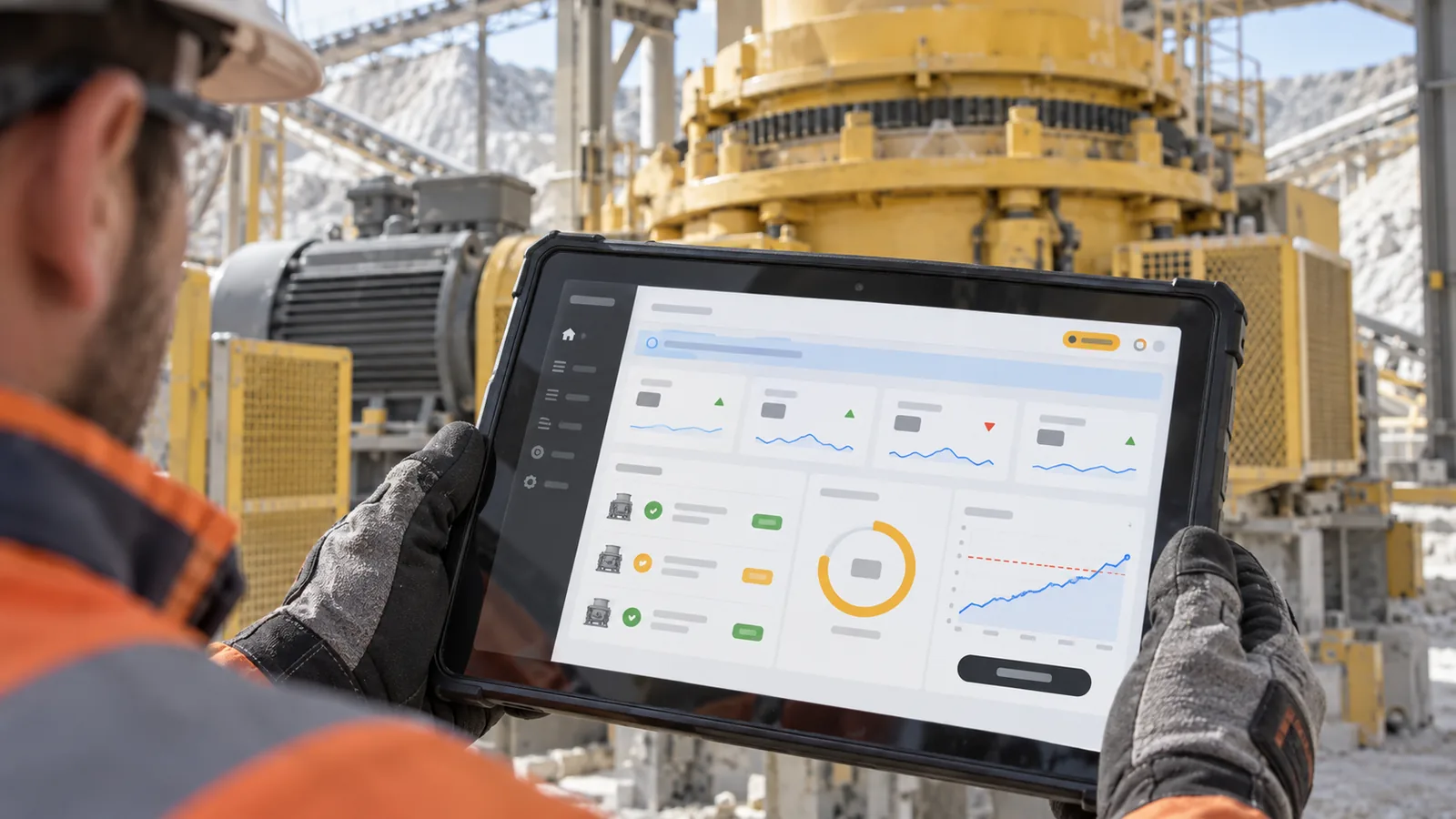
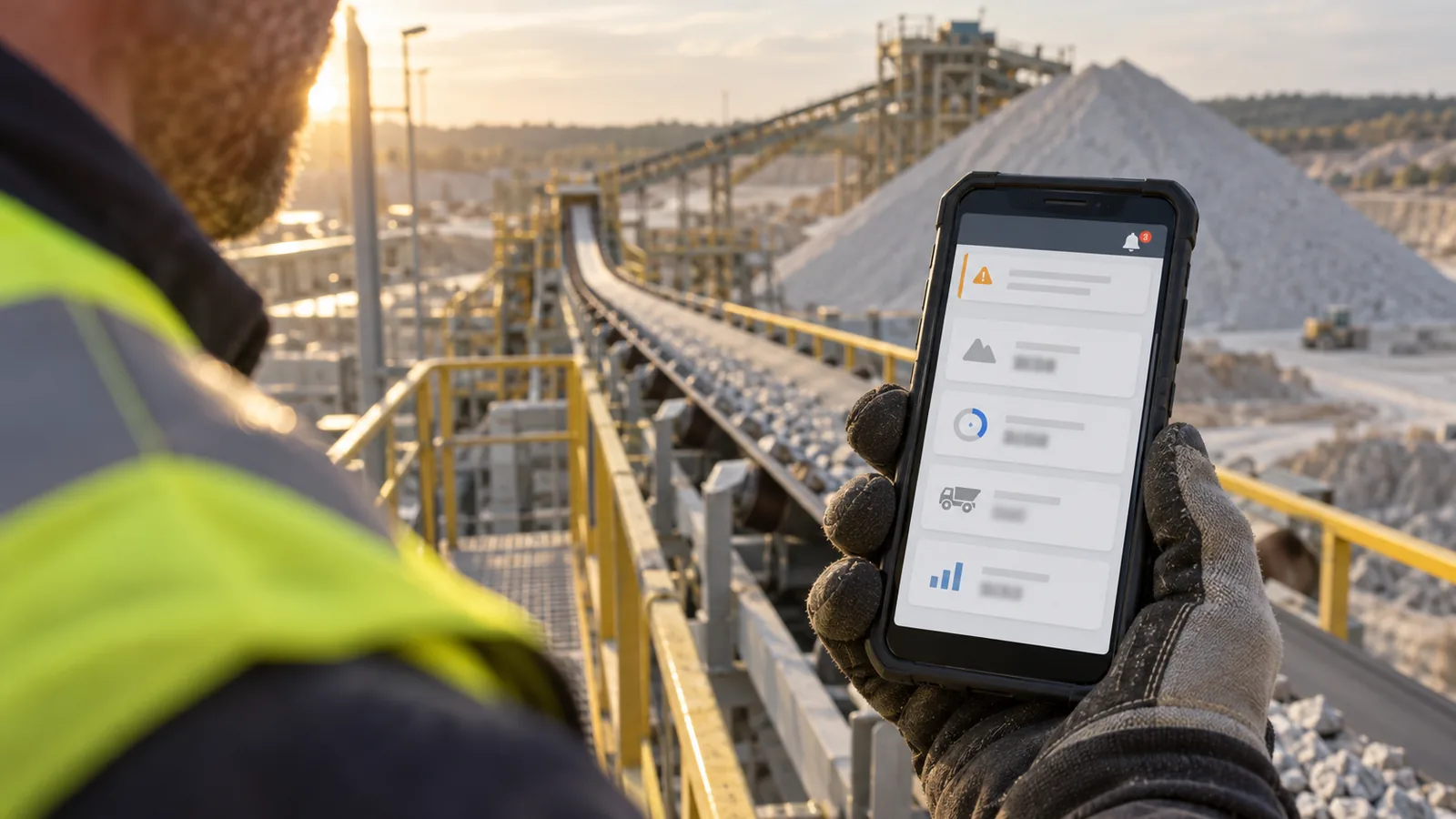
The mobile app for site teams: live values, alarms with push notifications, acknowledgement and Work Orders in the hand.
Offline Buffer and Local Rules
The gateway keeps reading through an outage on a disk-aware buffer and uploads oldest first; signed Local Rules keep switching outputs with no internet.
3D Tank View
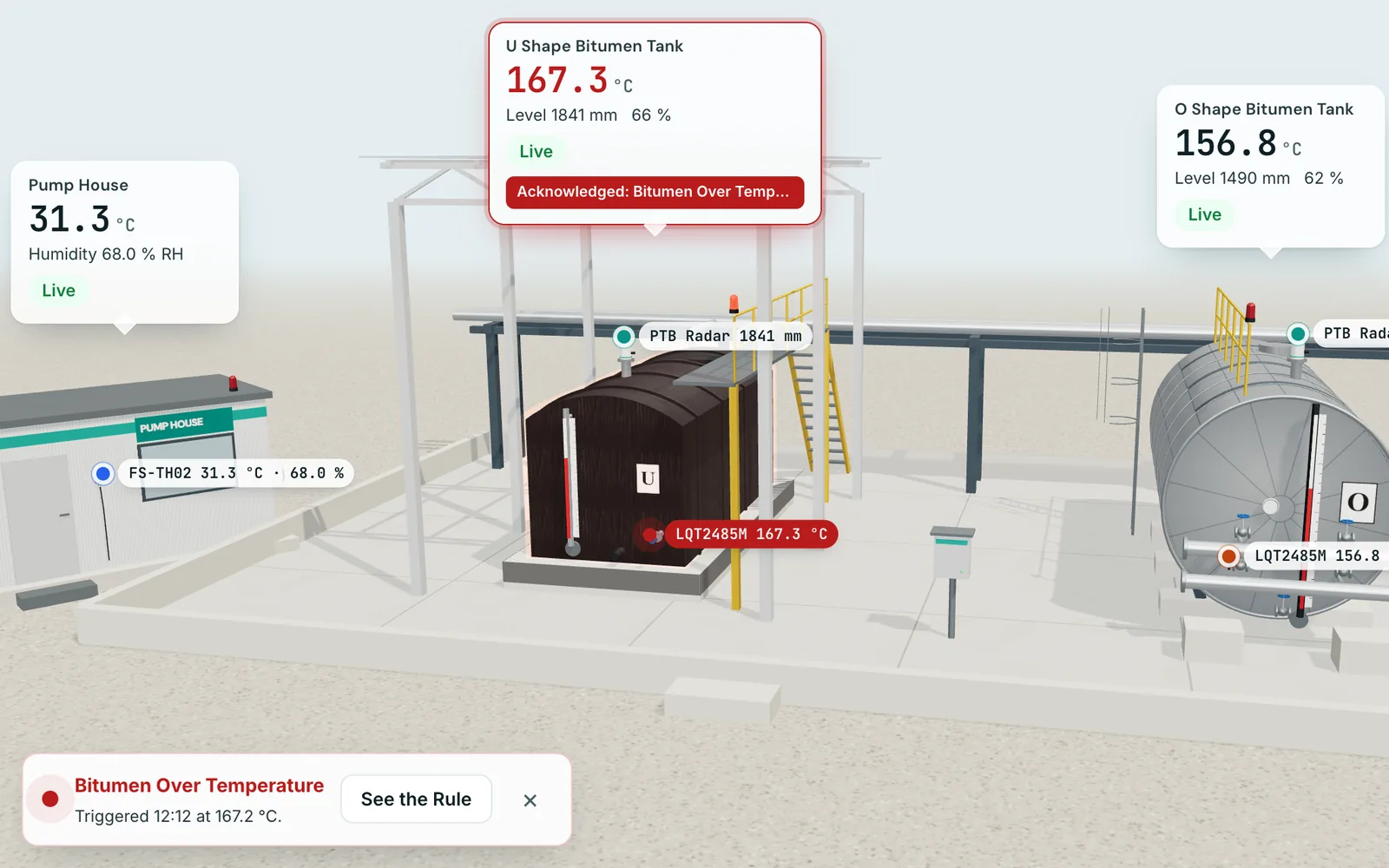
A three.js twin of the bitumen tanks with Realistic and Thermal modes, a Cutaway at the radar level and alarm glow when a Rule fires.
Device Documents
Protocols, SDKs, datasheets and manuals kept with each sensor model and each device, up to 25 MB per file.
Controller8 on the Site Network
Relay boards switched by the gateway over the plant network, with the board identity checked before every write.
Voice Answers
Ask the AI by voice and hear the answer read aloud, with Read Aloud on every reply.
4G and 5G Failover and LoRaWAN
Cellular failover managed from the cloud, and LoRaWAN wireless sensors on AS923 for remote stockpiles and water points.
ERP, Weighbridge and BI Connectors
Weighbridge and ERP integration such as SAP Business One, AutoCount and SQL Accounting through the API, with Power BI and Excel connectors.
Camera Detections from AI Vision Bots.
AI Vision Bots is the AiServa app that runs cameras at a site. AiKuari IoT receives what it finds through AiServa and can use it beside the readings and alarms it already holds.
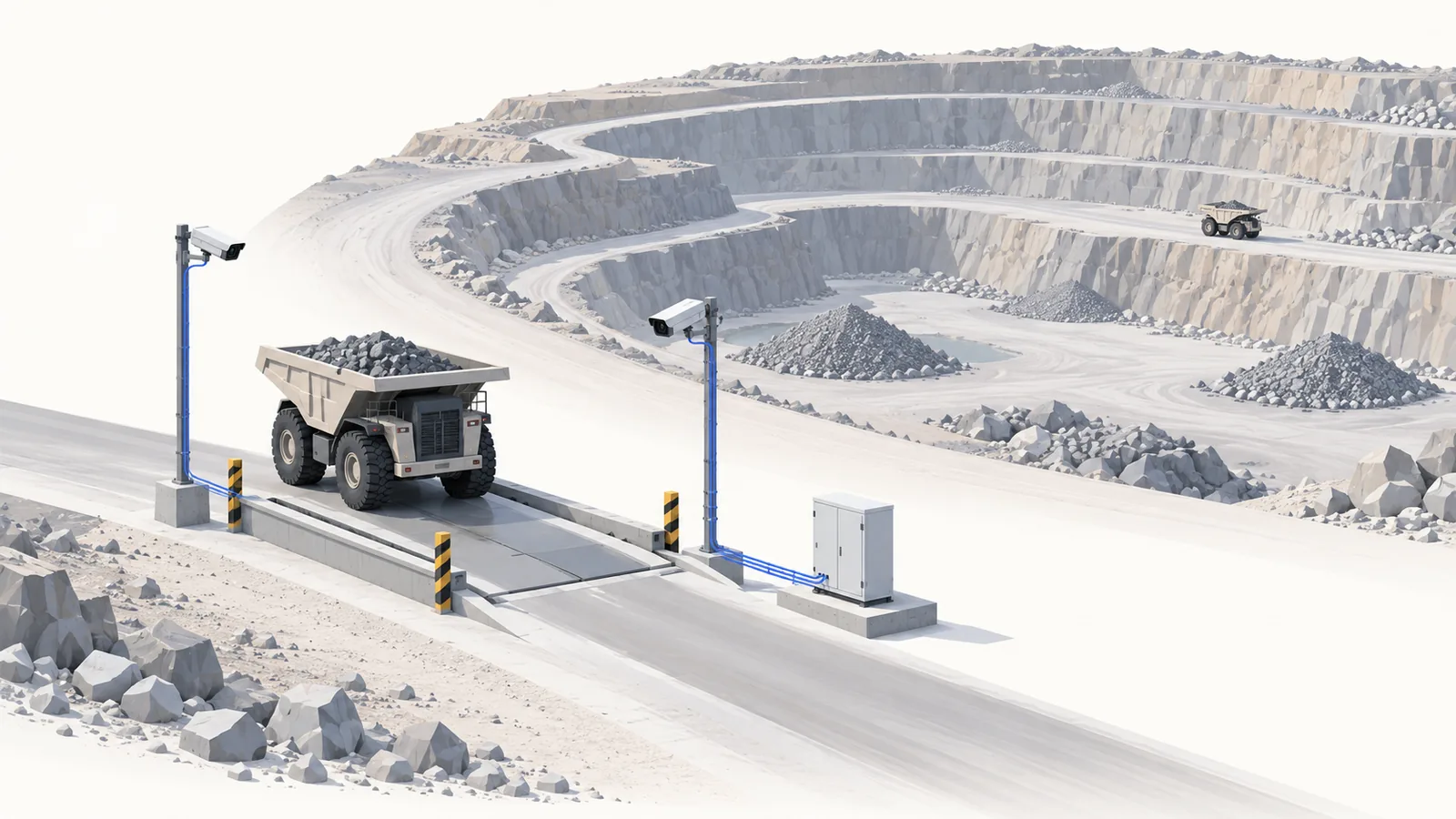
Detections
A Detection is an AI model and its classes running on a camera. For example, a gate camera could watch for trucks, people and machines. The classes are examples; each site chooses its own.
Events with Snapshots and Clips
Each event arrives with a snapshot and a clip, so a person can confirm it before it becomes a near-miss record or a work order.
Set Up with VYROX
The connection between AI Vision Bots and AiKuari IoT is set up together with the VYROX team.
AI Vision Bots is built and tested in software and in the browser. It is not yet proven on a customer camera and is coming soon to selected sites.
How It Works
From the Tank to the Phone, in Eight Steps.
A real quarry story: a bitumen tank runs hot and AiKuari IoT handles it from sensor to fix. Watch it play, or pick a step.
Install and Pair
$ curl -fsSL install.example.com | sh -s DEMO-CODE
Release signature verified
Service started on boot
Paired with Demo Site Gateway
Signed configuration in sync
All Sensors
Read over RS-485 by the site gateway, every value with its unit, time and quality.
Automation Rule
When U Tank Temperature Is Above 165 °C for 5 min
Condition FalseCondition True for 5 min
Tested first with a Dry Run against the last 7 days of real data.
Actions Run in Order
- Raise Alert Done
- Send Email to the Plant Manager Queued
- Show Popup in the Control Room Shown
- Relay Controller On, Off After 30 min Confirmed
Offline Buffer and Local Rules
Local Rule Heater Relay Off at 166 °C Ran Offline
Gaps are recorded, never hidden. Local Rules are signed and checked against limits on the gateway.
AI Assistant
Which bitumen tank ran hot last night?
The U Shape tank ran above 165 °C for 12 minutes from 02:10. The Rule switched its relays once and the alert cleared at 02:22.
Turn the U tank heater off for one hour.
Done. Heater relay is Off, confirmed by the controller. It switches back On at 10:42.
Voice input, six AI model choices, and only the rights of the person asking.
Health and Work Orders
Automation Rules.
Tell the platform what to watch and what to do. A Rule picks a trigger, checks its conditions, then runs up to ten actions in order, each with its own delay.
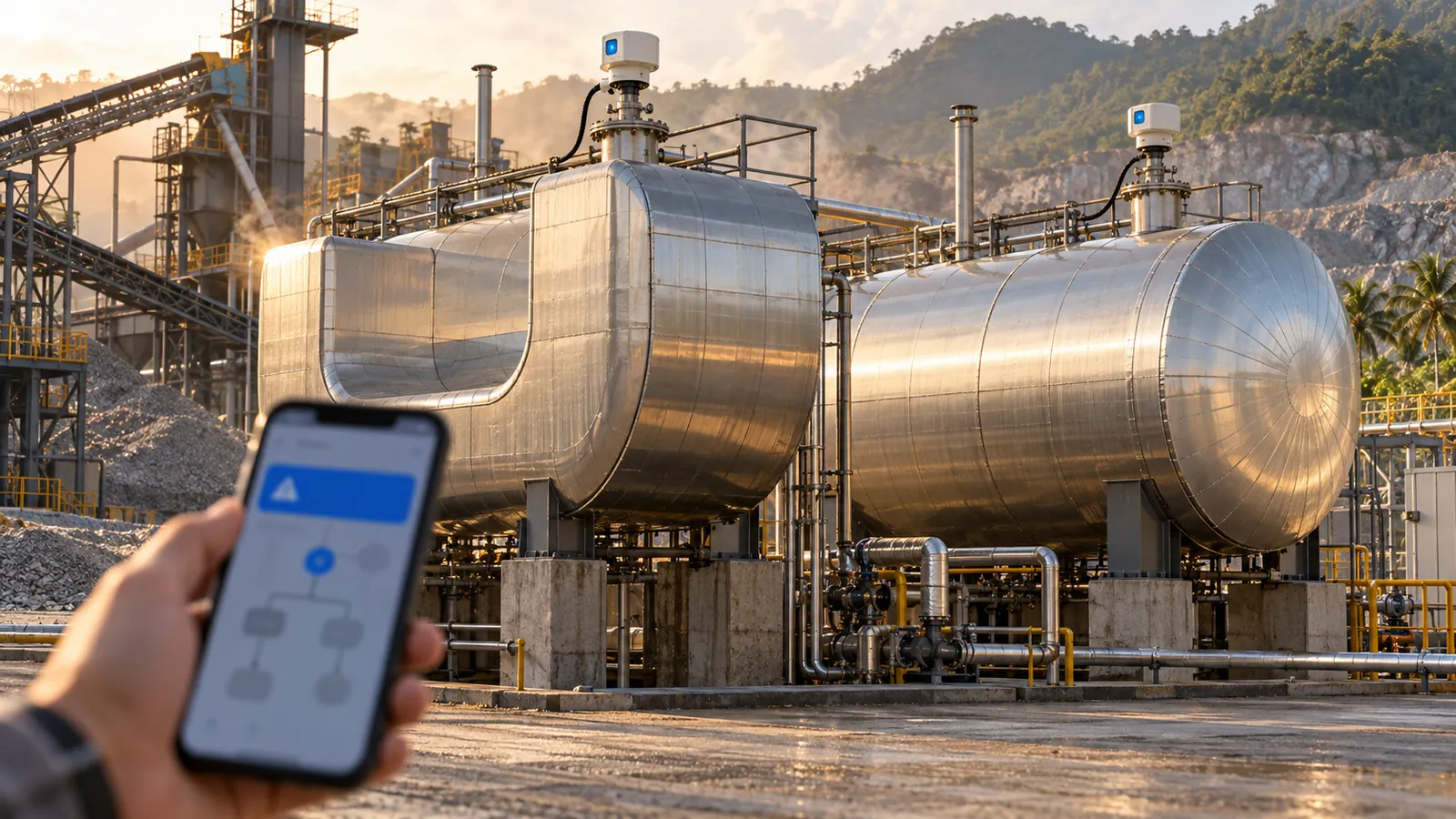
Triggers
When a reading arrives, when a status changes, on a schedule from every minute to weekly or by cron, when an alert changes, or by hand.
Conditions
Above, below, between, outside, has changed, changes faster than, no new data, bad quality, within a time window and more, grouped with All or Any, with a hold time and hysteresis.
Delays
Each action can wait up to 24 hours, and can still run if the condition has cleared, so a relay switches on now and off again later.
Run As
A Rule acts with a chosen person's rights, checked again on every run, so it can never do more than that person can.
Versions and Dry Run
Every save is a version you can restore. Test a Rule on current data, simulate a value, or replay the last 24 hours or 7 days before it goes live.
Run History and Loop Guard
Every run is recorded with what it did. A Rule that fires more often than its hourly limit switches itself off.
Ten Action Types
A Worked Example: Bitumen Tank Too Hot
When
Bitumen Tank 2 temperature is above its 165 °C setpoint for 5 minutes.
Then at Once
Raise a Major alert, email the plant manager and show a popup on the control-room screen.
Then Switch
Write the Controller8 Control Points that turn on the circulation pump and the cooling fan relays.
After 30 Minutes
Switch both relays off again, even if the alert has cleared, and record the run in Run History.
Control and Relays.
Switch pumps, fans, heaters and sprinklers from the platform, a Rule or the AI chat. Nothing moves until control is enabled, and every command is confirmed and checked.
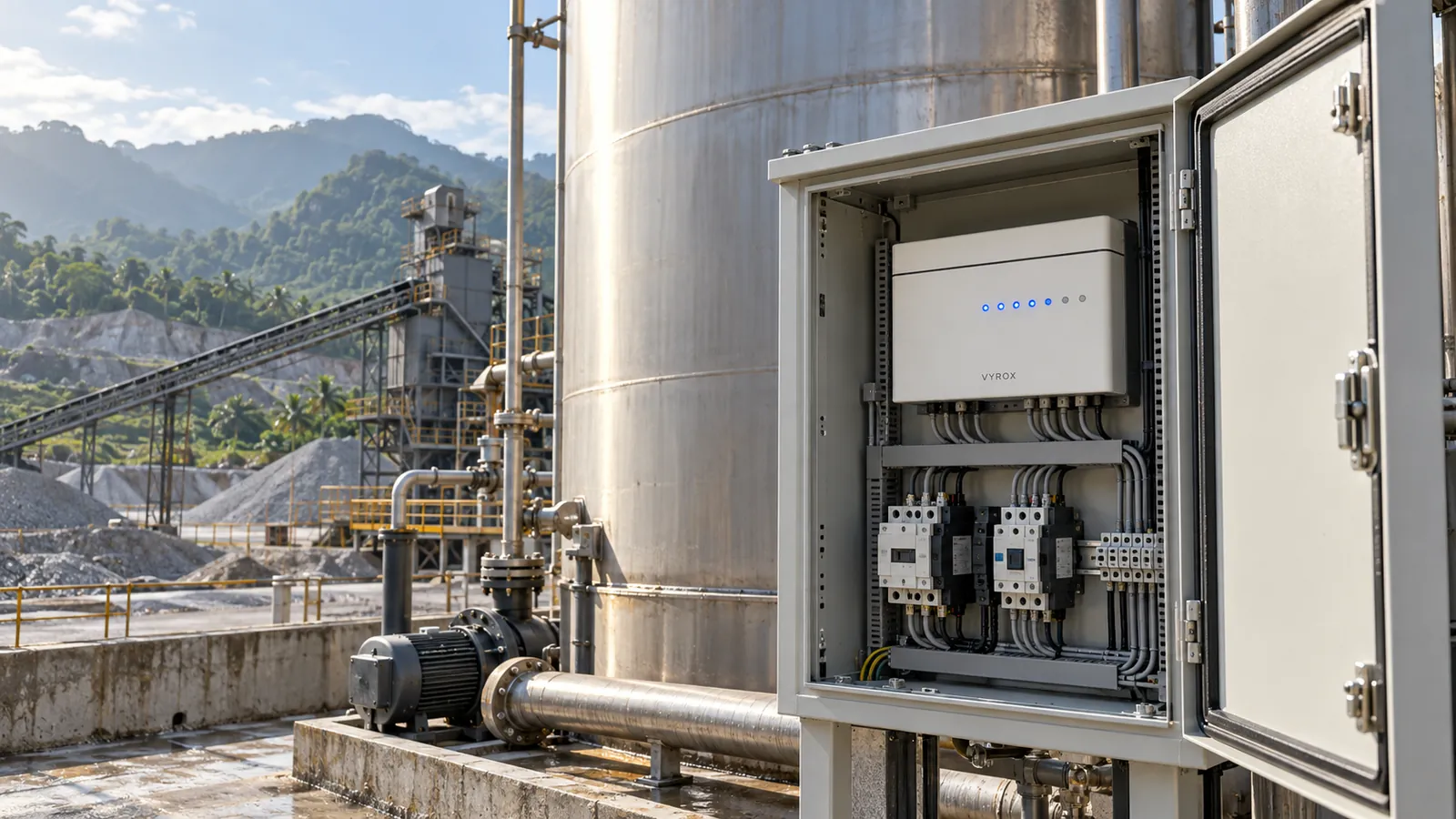
Controller8 Relays
The VYROX 8-channel relay with inputs, runtime and online state, shown as a grid of switches.
All On, All Off, Test All
Switch one channel or all eight, test every channel in turn, Pulse a channel, or run a timed action.
Confirm and Read Back
Every command asks for confirmation, then reads the value back from the device to prove it took effect.
Emergency Stop
A platform emergency stop halts control commands at once. Control stays off by default until enabled per Node.
An AI Assistant Named for Your Company.
The AI chat carries your company's name and knows your whole site. Ask in plain words, by typing or by voice, and it answers from your data or switches what you ask it to.
Choose the AI that runs it: six providers, your own API key, or the AI Bridge that runs the AI on your own machine.
Sees the Whole Site
Every gateway, scraper and Node with its health, so a question gets an answer from your own live data.
Answers from History
What the tank temperature did last night, which Node went offline, how many alerts this week.
Switches for You
Ask it to switch an actuator or change a setpoint, now, after a delay or in sequence, with your rights and a confirm step.
Voice Input
Press the microphone and speak the question in the browser, handy on a phone at the plant.
Alerts Everywhere.
An alarm is only useful if the right person sees it. AiKuari IoT reaches them on the channel they actually read, and calls them when it matters most.
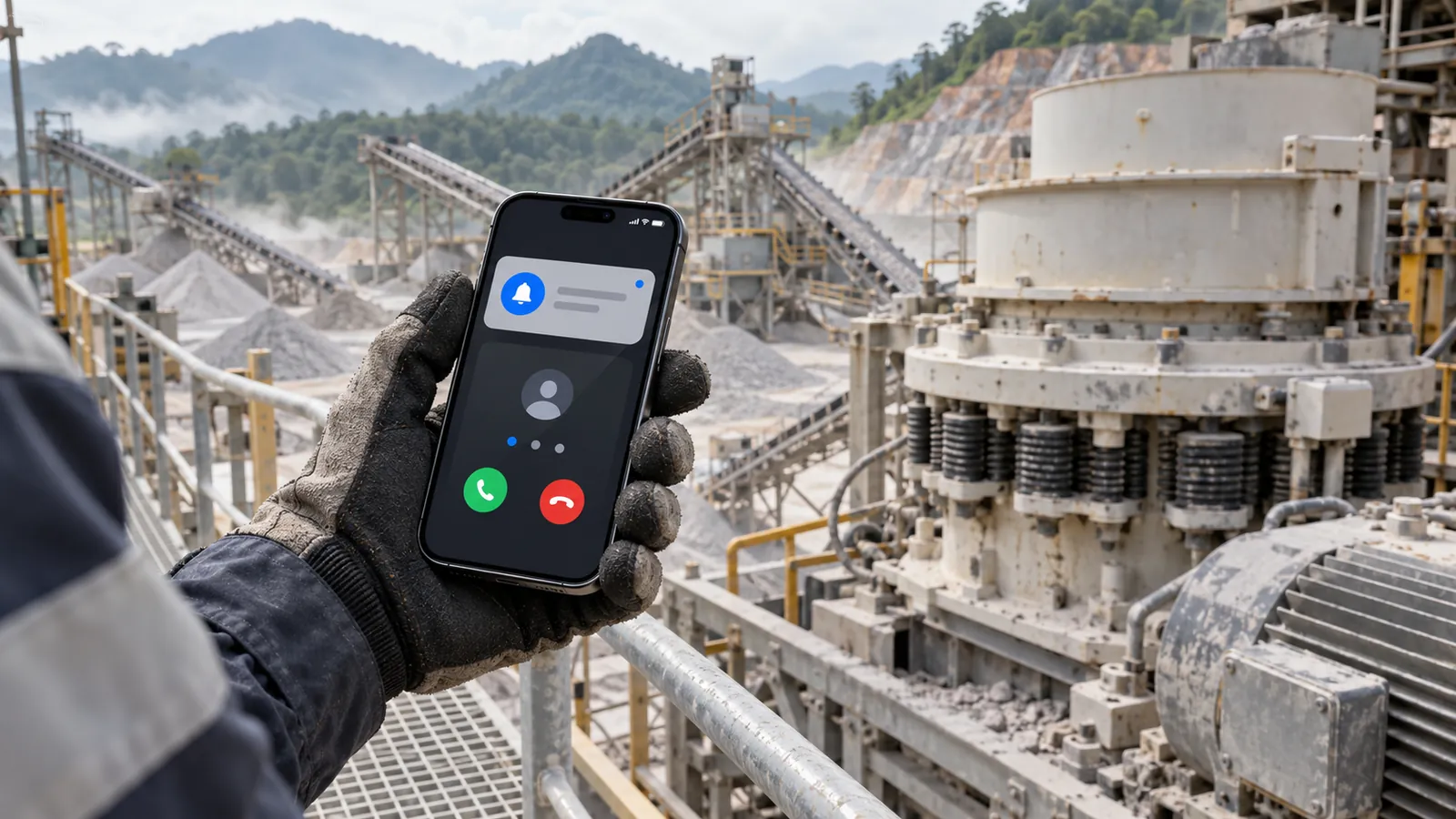
SMS and WhatsApp
The alarm, the reading beside its limit and the Site, sent as a text or a WhatsApp message to the person on duty.
Telegram
Alerts to a person or a site group chat, so the whole crushing team sees the same message at once.
Push in the Mobile App
A push notification on iOS and Android that opens the alarm, ready to acknowledge with one tap.
Voice Call Escalation
When a Critical alarm is not acknowledged in time, the platform calls the on-call person, then the next person on the list.
Designed alert emails with a severity band and a facts table, sent from your own company email domain.
Microsoft Teams and Slack
Webhooks post alarms into the Teams or Slack channel each plant already uses.
On-Call Rota and Quiet Hours
A weekly rota decides who is on call; quiet hours per person hold back routine alerts, never Critical ones.
Shift Handover Summary
At the end of every shift: alarms raised and cleared, Work Orders opened, stops by reason and what the next shift should watch.
Predictive Maintenance.
Fix the bearing on a planned stop, not after it seizes. AI watches every crusher and conveyor and turns early warnings into planned work with the parts ready.
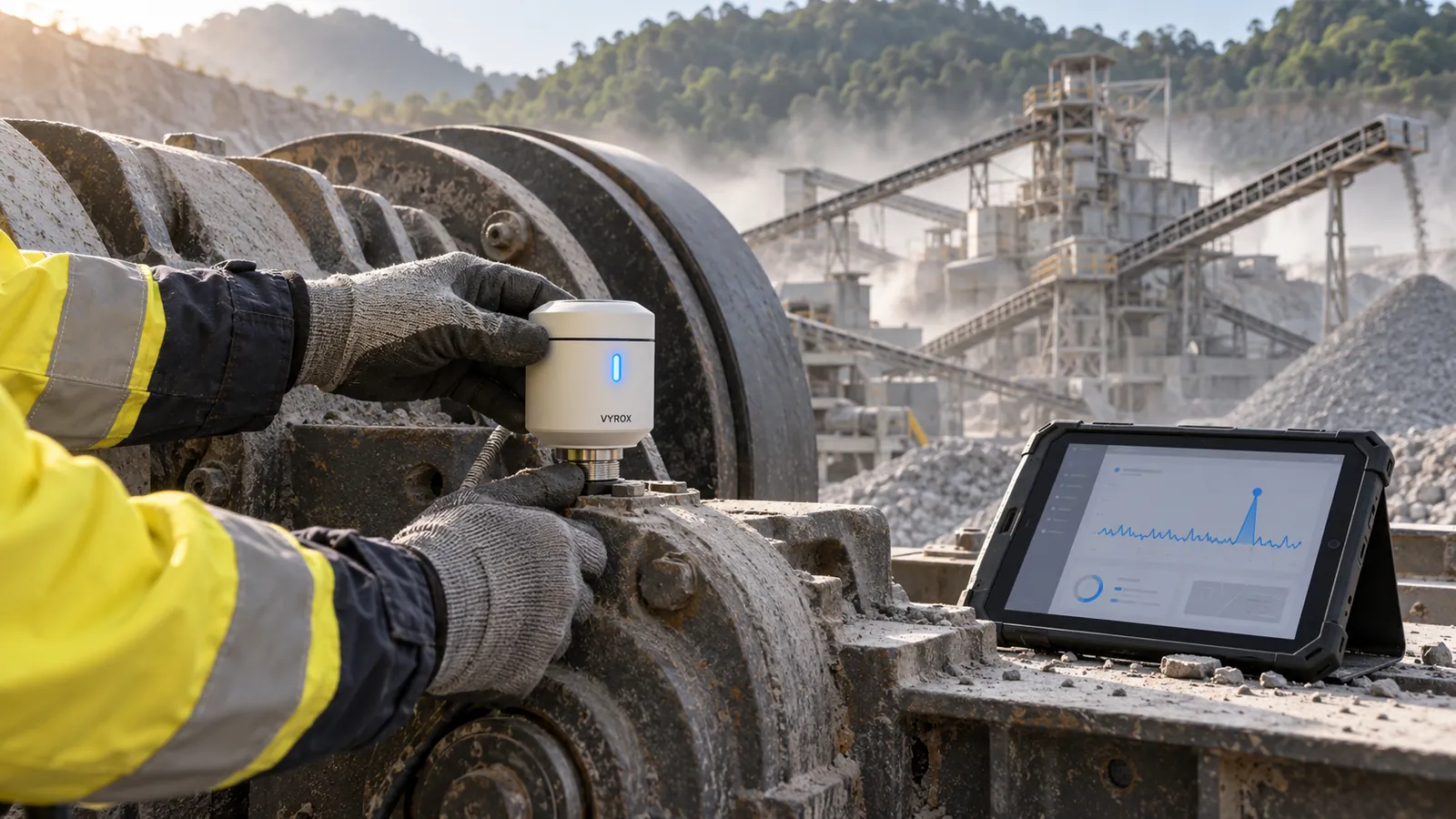
AI Anomaly Detection
Learns the normal vibration, temperature and motor current of each crusher and conveyor, and flags the change before a limit is reached.
Remaining Useful Life
An estimate in days for each bearing, motor and gearbox, updated with every reading and shown beside the health score.
Bearing and Liner Wear Models
Wear tracked against tonnes crushed and running hours, so jaw and cone liners are changed on time, not too early.
Automatic Work Orders with Spares
A prediction raises a Work Order with the spare parts list, the person to assign and the planned date.
Maintenance Calendar
Planned stops, predicted jobs and recurring service on one calendar per Site, lined up with production.
Condition-Based Greasing
Greasing reminders driven by running hours and bearing temperature, instead of a fixed date on the wall.
Security and Sign-In.
Your plant data and your control commands stay yours. Strong sign-in for every user, access only where each person needs it, and a record of everything.
Two-Factor Sign-In
An authenticator app or an SMS code for every user, required by policy for the whole company if the Owner chooses.
Single Sign-On
Microsoft Entra ID and Google Workspace over SAML or OIDC, so people sign in with the account they already have.
IP Allowlists and Session Timeouts
Limit sign-in to your office and site networks, and end idle sessions after the time you set.
Tamper-Evident Audit Log
A chained record of every sign-in, setting, command and Rule change that shows if anything was altered.
Role-Based Access
Five roles with access per Organization or per Site, and a custom access matrix per person.
Encrypted in Transit and at Rest
TLS on every connection from gateway to browser, and encrypted storage for readings, files and backups.
PDPA-Aligned Data Handling
Personal data handled in line with the Malaysian Personal Data Protection Act, with export of all company data on request.
Certified Company Practice
Built and run by VYROX International Sdn Bhd, certified to ISO 9001:2015 and ISO/IEC 27001:2022.
Mobile App and Offline.
Quarries are remote and links drop. The app goes where the team goes, and the gateway keeps measuring and acting when the internet does not.
iOS and Android App
Live values, alarms with push, acknowledgement, Work Orders and the AI chat, in the hand at the plant.
Offline Buffer
Readings wait on the gateway disk through an outage, sized from the free space, then upload oldest first. Any gap is recorded, never hidden.
Local Rules
Signed automation that runs on the gateway with no internet: heater off at 166 °C, with hysteresis, hold time, time windows and fail-safe limits.
4G and 5G Failover
A cellular link takes over when the fixed line fails, configured and watched from the cloud.
LoRaWAN Wireless Sensors
Long-range sensors on AS923 for remote stockpiles, sumps and water points, with years on a battery.
Weighbridge and ERP Integration
Tickets and tonnes to SAP Business One, AutoCount or SQL Accounting through the API.
Power BI and Excel
Connectors that bring readings, KPIs and alarms into Power BI and Excel for your own analysis.
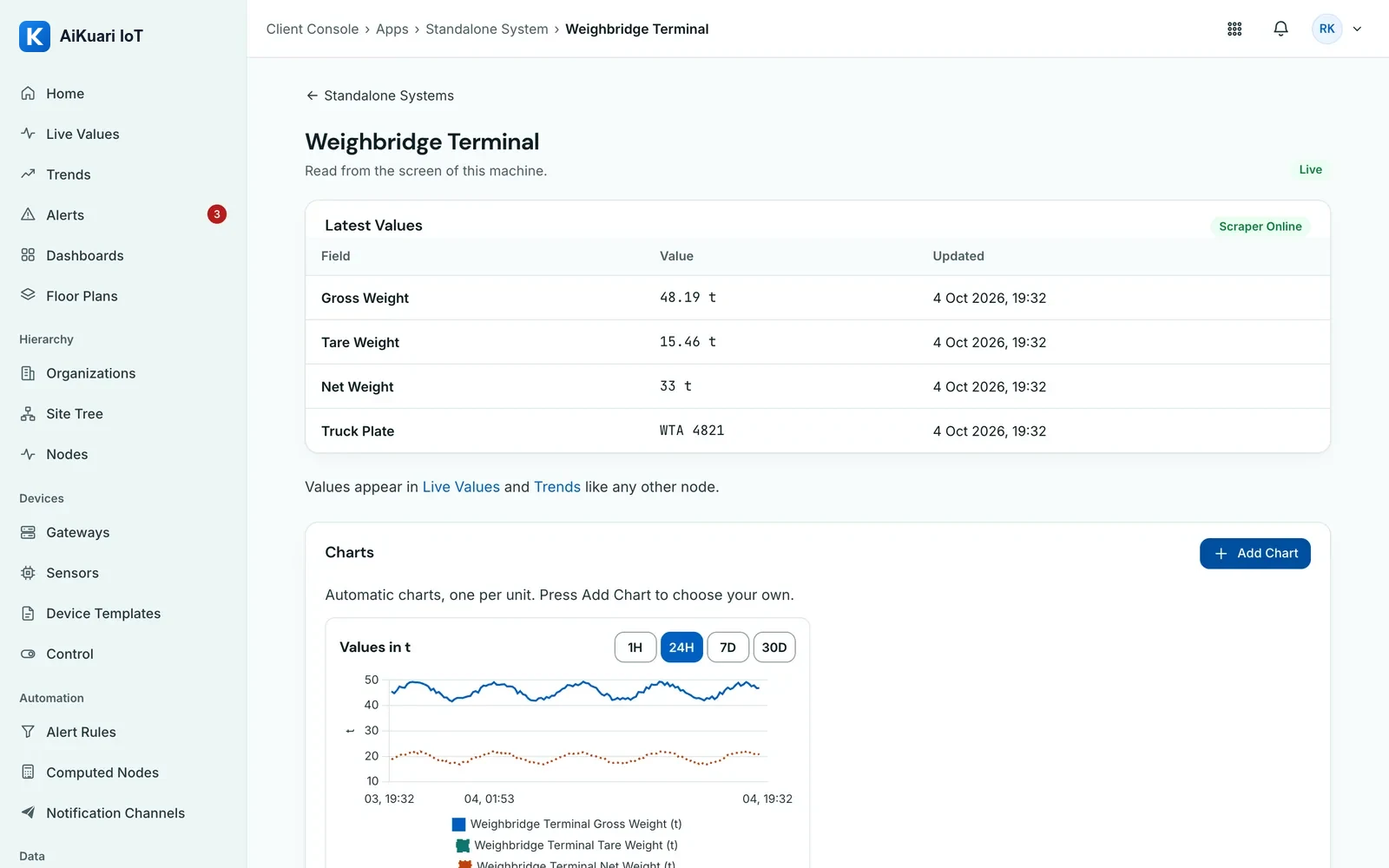
Read a Machine with No Data Output.
The Standalone System Screen Scraper runs on a Windows PC beside the machine. It captures the screen, AI reads the numbers you mapped, every value is checked for its range and for sudden jumps, and low-confidence values are held for a person to review. It only reads.
Gateways That Look After Themselves.
Install with one command, pair automatically, take settings from the cloud, and update by themselves: signed, staged and rolled back if anything goes wrong.
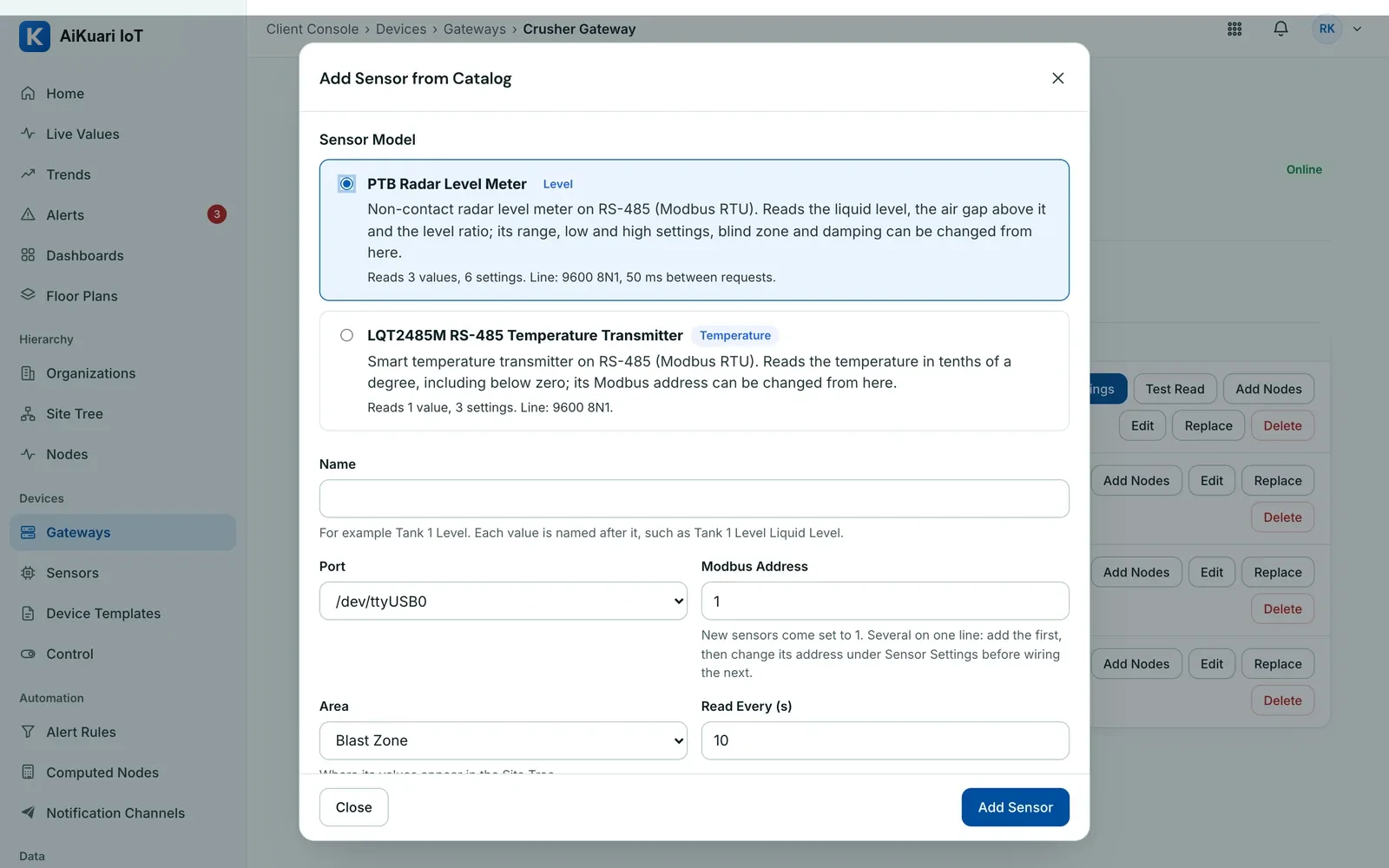
Device Documents.
The maker's protocol, datasheet and manual sit next to the sensor model and each installed device, so a register map can always be checked against the source.
A Library per Model
Each catalogue model carries its protocol document, datasheet and user manual.
Your Own Device Files
Wiring photos, commissioning sheets and service reports on each Node, private to your company.
Rights per Role
View, upload and delete are separate rights, with every change recorded. Files up to 25 MB.
See It, Share It, Connect It.
Floor plans and Digital Twin projects, A4 reports by email, roles per person, and a REST API with signed webhooks.
Ask AI, from Any Page.
Plain questions about production, machines, stock, fuel, dust, blasts and alarms, answered from your own plant data.
- No outside AI service. Your plant data stays in the system.
- Shows its working. Every answer says how it was worked out and opens the page behind it.
- Respects access. Answers cover only the sites each person can see.
Which machines are predicted to fail?
One machine: the secondary cone crusher at North Quarry is heading for its 85 °C bearing alarm in about 4 days.
| Machine | Reading | Days to Limit |
|---|---|---|
| Cone crusher, North Quarry | Bearing temperature | 4.1 |
How this was worked out: A straight-line trend over the last 72 hours of running data, shown only when the fit is strong (r² 0.5 or more, 12 points or more).
Open the Machine Condition PageWhich plant used the most fuel per tonne today?
Plant A2 used the most: 7.9 litres per tonne, against 6.8 at Plant A1.
| Plant | Fuel L/t | Tonnes |
|---|---|---|
| Plant A2 | 7.9 | 612 |
| Plant A1 | 6.8 | 840 |
How this was worked out: Burner fuel used today divided by tonnes of mix produced, plant by plant.
Open the Asphalt Plant PageWhy did fuel per tonne rise at Plant A1 today?
Mostly moisture: cold-feed moisture averaged 4.6 % against 3.0 % yesterday, about 11 kWh per tonne of extra drying.
| Driver | Today | Yesterday |
|---|---|---|
| Cold-feed moisture | 4.6 % | 3.0 % |
| Mix temperature | 161 °C | 159 °C |
How this was worked out: Drying energy of 6.86 kWh/t for each 1 % of moisture (Factors page), applied to the change in moisture.
Open the Asphalt Plant PageWhich crushing line uses the most energy per tonne this week?
North Quarry uses 2.41 kWh per tonne, 18 % more than South Quarry.
| Line | kWh/t | Tonnes |
|---|---|---|
| North Quarry | 2.41 | 18,420 |
| South Quarry | 2.04 | 15,960 |
How this was worked out: Metered power on every crusher, screen and conveyor, divided by belt-scale tonnes.
Open the Crushing PageHow much 14 mm stock is left?
4,860 tonnes of 14 mm in two piles, about 6.4 days at this week's rate of draw.
| Pile | Tonnes | Days of Cover |
|---|---|---|
| North Quarry, 14 mm | 3,120 | 5.8 |
| South Quarry, 14 mm | 1,740 | 7.9 |
How this was worked out: Book stock from belt scales and deliveries, checked against the latest survey. Days of cover divide tonnes by this week's average daily draw.
Open the Stockpiles PageWere any blasts over the vibration limit this month?
No. Three blasts this month; the highest ground vibration was 4.8 mm/s, inside the 5.0 mm/s site limit.
| Blast | PPV mm/s | Air Overpressure dBL |
|---|---|---|
| 2 Sep | 4.8 | 118 |
| 5 Sep | 4.1 | 115 |
| 9 Sep | 3.6 | 113 |
How this was worked out: Every blast record checked against the site limit set on the Legal Limits page.
Open the Blasting PageWhat is our CO2 this month?
412 tonnes of CO₂ so far this month: 293 from fuel (Scope 1) and 119 from grid electricity (Scope 2).
| Source | t CO₂ |
|---|---|
| Diesel and burner fuel | 293 |
| Grid electricity | 119 |
How this was worked out: Litres of fuel × 2.68 kg CO₂/L, and kWh × the grid emission factor set on the Factors page.
Open the Reports PageHow is the dust at North Quarry?
Within the limit: the 24-hour PM10 is 62 µg/m³ at the village boundary, against 100 µg/m³ in MAAQS 2020.
| Monitor | PM10 24 h | PM2.5 24 h |
|---|---|---|
| Village boundary | 62 | 21 |
| Plant gate | 74 | 26 |
How this was worked out: 24-hour averages against the Malaysian Ambient Air Quality Standard 2020.
Open the Environment PageWhere did we lose production time this week?
3.4 hours at North Quarry, mostly feed shortage after blasts (1.9 hours).
| Reason | Hours |
|---|---|
| Feed shortage after blast | 1.9 |
| Belt tracking | 0.8 |
| Planned maintenance | 0.7 |
How this was worked out: Stops on the crushing lines, grouped by the reason operators gave them.
Open the Crushing PageHow many alarms are open?
Five open alarms: one serious and four warnings. The oldest has been open for 3 hours. The three most recent are listed.
| Alarm | Site | Since |
|---|---|---|
| Hot idler, feed conveyor | North Quarry | 10:40 |
| Drum shell hot spot | Plant A1 | 13:00 |
| Cone crusher bearing | North Quarry | 13:25 |
How this was worked out: Open alarms, plus those that cleared by themselves but are not yet acknowledged, across the sites you can see.
Open the Alarms PageSample answers from the guided-demo company; the numbers are simulated. In the product: no outside AI service is used.

See It with Your Own Data.
Start a 14-day free trial, or ask for a guided demo and a pilot on one of your sites.
Questions About AiKuari IoT.
What is AiKuari IoT?
AiKuari IoT is quarry and asphalt plant operations software. It connects sensors, PLCs, cameras and machine screens across every site, then turns the readings into dashboards, alarms, automation, reports and AI answers in one live picture.
What can an Automation Rule do?
A Rule watches any reading, status, schedule or alarm, checks up to twenty conditions, then runs up to ten actions in order: raise an alarm, send an email, show a popup, notify a channel, switch a relay, call a webhook, set a variable, open a Work Order, run another Rule or escalate. Each action can wait up to 24 hours first.
Can AiKuari IoT switch pumps, heaters and fans?
Yes. Control and Relays switches Controller8 relay channels and Modbus setpoints from the platform, a Rule or the AI chat. Control is off until enabled, values stay inside limits, and every command is confirmed by reading the device back.
Which AI models does the AI chat use?
Choose Claude, ChatGPT, DeepSeek, Qwen, Kimi or GLM, use your own API key, or run the AI through the AI Bridge on your own machine. The chat answers from live data and acts only within the rights of the person asking.
How do alarms reach the team?
By SMS, WhatsApp, Telegram, email, push notification in the mobile app and voice call for critical alarms, with on-call rotas, quiet hours, escalation and a shift handover summary.
Does AiKuari IoT predict machine failures?
Yes. Predictive Maintenance uses AI anomaly detection on crusher and conveyor vibration, temperature and current, estimates remaining useful life, and opens Work Orders with spare parts before a breakdown.
How is sign-in secured?
Two-factor sign-in with an authenticator app or SMS code, single sign-on with Microsoft Entra ID or Google Workspace, IP allowlists, session timeouts, role-based access and a tamper-evident audit log.
Can it read a machine that has no data output?
Yes. The Standalone System Screen Scraper runs on a Windows PC beside the machine, captures its screen, and AI reads the mapped values, checking each one for range and sudden jumps.